Launching today

CodeMote
Claude Code, Codex, any CLI agent. Driven from your iPhone
141 followers
Claude Code, Codex, any CLI agent. Driven from your iPhone
141 followers
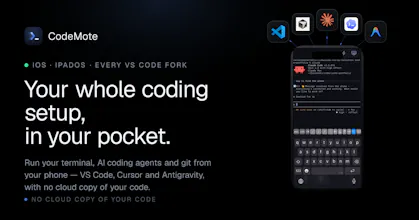
CodeMote pairs your iPhone to your machine or VPS and gives you the real sessions. Live terminal on your lock screen, push when your agent needs approval, full diffs, complete git flow. Direct encrypted connection. Your code never touches our servers.



CodeMote
Foyer
The interesting constraint here isn't the iOS interface, it's latency and interruption. CLI agents mid-task don't always pause cleanly, and if you're driving one from your phone on a spotty connection and the session drops, you need to know whether the agent kept going, stopped, or did something half-finished that left the repo in a weird state. Curious how CodeMote handles that. Also wondering whether you have any visibility into agent output in real time or if it's more of a fire-and-check-back situation, because the value of mobile control drops a lot if you can't actually watch what's happening.
CodeMote
@fberrez1 Great questions Florent, really thanks for the opportunity to explain better how CodeMote works
The agent doesn't run on your phone. It runs on your machine (Mac, VPS, wherever your code is), and your phone is just a live window into it. So if your connection drops, nothing happens to the agent, it keeps going exactly as if you'd locked your phone and stepped away. When you're back online, you pick up right where you left off and see everything that happened while you were gone. Nothing's lost, and you're never guessing whether it kept running or stalled.
And yes, it's fully live, not fire-and-check-back. You watch it work in real time and can jump in the moment it needs you. And sends you notifications when it needs you to do action, so you can fire and forget actually.
I hope I answered your concerns :) what do you think?
I think speech to text fits this workflow well. Could custom voice shortcuts approve common actions even faster?
CodeMote
@jason_scott8 Hello Jason, thanks for you comment! CodeMote currently implement a shortcuts for common actions, so you don't need to every time type the same thing
but could be even better if you could launch this shortcut easier, or even from the live activity.
you gave me a good input for a new feature!
Thanks
Me using my phone for approvals sounds practical instead of carrying laptop everywhere. Would offline notification retries help when the connection drops for a few minutes?
CodeMote
@alex_bravo1 Yeah, that's exactly the use case! just leave your laptop at home and enjoy life while not missing out anything!
On the connection drop: you're actually covered by design. When the app is open we stream over a live socket, but the moment it's backgrounded or you lose signal, notifications go out through APNs (Apple's push service), which does the store-and-forward for you. If your phone is offline for a few minutes, Apple holds the latest push and delivers it the second you're back online, so you don't miss the "agent is waiting for approval" moment.
And because the agent + terminal run on your machine (not the phone), nothing is lost while you're disconnected, the session just keeps waiting. When you reconnect, the full state is right there.
Hope i answered your question :)
ChatWebby AI
Does CodeMote support juggling multiple agent sessions at once, like Claude Code on one project and Codex on another, from the same phone view?
CodeMote
@zain_sheikh absolutely yes!
it is a 1:1 mirror of your workspace on your laptop/server, you have unlimited terminals, so you can open 2/3 terminal with different agents CLI on each of them, and do things like you would do on your laptop.
The requirement for codex is that you need to use the CLI version
how does the encrypted connection actually hold up on sketchy hotel wifi, and is there any fallback if the direct pairing drops mid-session?
CodeMote
@ulehtml WSS over TLS on port 443, so on hotel wifi it's just encrypted HTTPS traffic, no open ports, clear the captive portal and it connects. If it drops, the app auto-reconnects with your saved token while your terminals and agent keep running on the machine, so you land right where you left off.
the lock-screen 'flips to waiting + push' is the real product. hard part is knowing when NOT to ping. does it batch approvals, or one buzz per stop?
CodeMote
@andrewzakonov Batches per-terminal: one buzz when a terminal goes idle/needs approval, not per stop, and it's suppressed entirely while you're in the app, so you only get pinged for sessions you're not already watching.