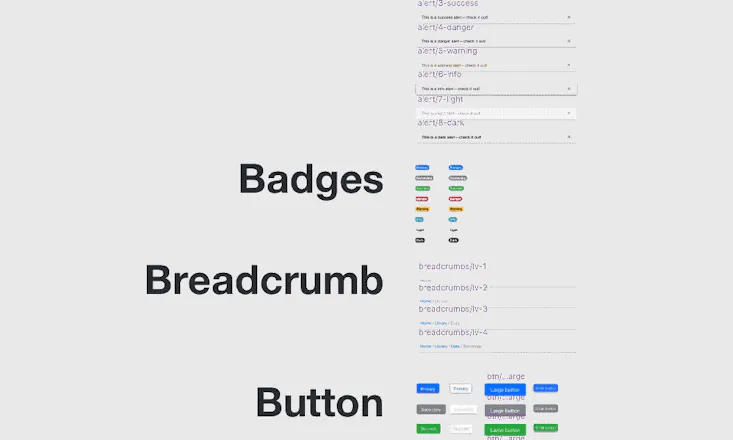
Start your project with +200 Bootstrap components in Sketch format. Resize every component. Color & font styles linked to every element so you can design faster. Bootsketch is the
No reviews yetBe the first to leave a review for Bootsketch
Looks great. As someone who has many battles trying to code up Bootstrap pages, this looks awesome. One (dumb) question that wasn't made obvious by the video or on the webpage - is Bootsketch purely a mockup tool, or does it generate the HTML/CSS to create the pages as well?
@mrbrettromero Good question, Brett. Bootsketch is purely a mockup tool. No HTML/CSS is generated.
Even though it doesn't generate html/css it helps It helps bridge the gap between designer & developer, and helps them both be on the same page. If I as a designer know all the default assets my developer has at his disposal I can pull those into my design with confidence knowing that those are pretty much plug and play when things get to development
If I've made edits & branding updates to bootsketch, I can simply share my design with the developer and he can see what colors / components were updated. From there he'll know exactly what needs to be changed within the bootstrap ecosystem.
Report
@whatsnewsaes Is the generation of HTML/CSS something you are considering adding as a feature at a future date? I realize it would be a lot of development effort, but it would elevate your app from a cool tool for designers to essentially a must have for every frontend developer and UI designer.
Hi Everyone! π I'm really excited to bring you http://Bootsketch.com It's been a passion project that I've been working on for a while and I'm excited to git it in the hands of other designers and developers.
βοΈ What is Bootsketch?
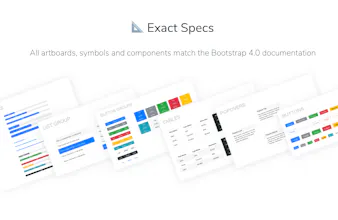
Bootsketch is a sketch file that gives you all of the Bootstrap components in the latest 4.0 documentation.
π The Problem
I design a lot of sites that are developed in Bootstrap. All of the current Bootstrap sketch files seem to be missing the mark. no symbols or poor use of symbols, ineffective symbol overrides, unorganized, not resizable, colors / type aren't linked to components
βοΈ My Solution
In Bootsketch I've created each symbol to be resizable, intuitive, and extendable
All colors are linked to layer styles and symbols so updating branding is extremely quick and easy. Updating text styles is just as easy.
π± π± π± I'M NOT WORTHYπ±π±π±
Holy crap, this is awesome Seth! Well done. βββMark Otto (Design Director at GitHub, co-creator of Bootstrap)
A fantastic value-add to my toolset as a designer / developer. I often reach for bootstrap when choosing a front-end framework and having this Sketch resource compels me to use bootstrap for more projects, since I have the ability to quickly create mockups for clients before building stuff out. 10/10 would recommend.
Pros:
Great value, easy to use, creator is available / responsive to support.
Cons:
None so far. Hope it can stay up to date with future versions of Bootstrap.
Report
Would love to see "new users start here" type of guide that gives an introduction into the best way to use bootsketch. Possibly include the plugins shown in the example video, and best ways to modify components. Overall, a fantastic product and well worth the $29
Pros:
Very organized, easy to modify, symbol overrides are top notch
Foundation for Sketch
Songshare
A fantastic value-add to my toolset as a designer / developer. I often reach for bootstrap when choosing a front-end framework and having this Sketch resource compels me to use bootstrap for more projects, since I have the ability to quickly create mockups for clients before building stuff out. 10/10 would recommend.
Pros:Great value, easy to use, creator is available / responsive to support.
Cons:None so far. Hope it can stay up to date with future versions of Bootstrap.
Would love to see "new users start here" type of guide that gives an introduction into the best way to use bootsketch. Possibly include the plugins shown in the example video, and best ways to modify components. Overall, a fantastic product and well worth the $29
Pros:Very organized, easy to modify, symbol overrides are top notch
Cons:No tutorial or best practices guide
Foundation for Sketch
Plutio
Foundation for Sketch