Launched this week
AppMirror

AppMirror

Organize screens & visualize user flows in one place

1 follower

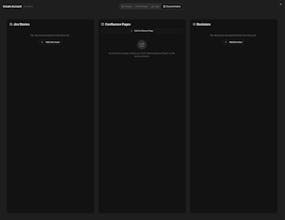
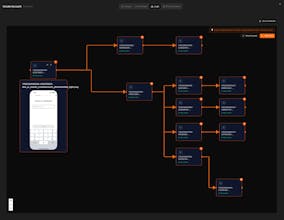
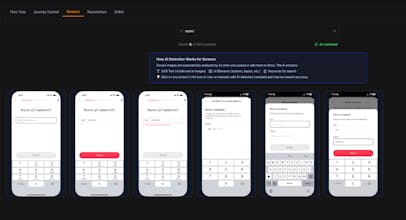
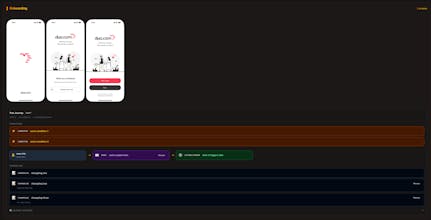
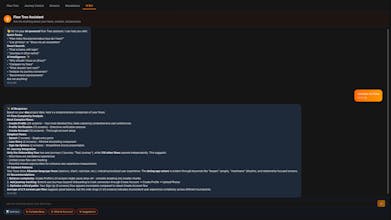
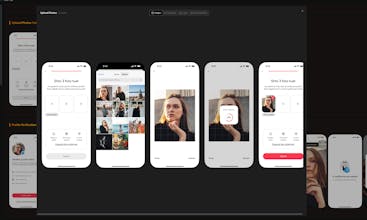
Existing tools keep everything in silos - Figma for designs, Confluence for docs, Miro for flows, Mobbin for competitors. Nothing connects. AppMirror brings it all into one workspace where screens, flows, docs, emails, and journeys are linked together. Change your pricing page? Instantly see connected FAQ docs, emails, and flows that need updates too. No more forgetting to update three things when you change one. Finally, your entire app in one place.
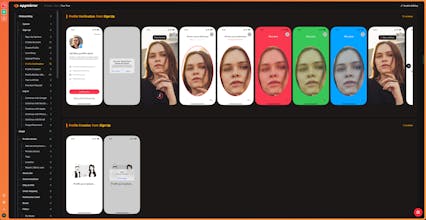
AppMirror gallery image
Free
Launch Team / Built With
Intercom
Intercom
Startups get 90% off Intercom + 1 year of Fin AI Agent free
Promoted

What do you think? …

Edon Luta
Maker
📌
I built AppMirror out of my own frustration. Every time I worked on my app, I had 10 tabs open - Figma for screens, Confluence for docs, Miro for flows, Mobbin for competitor research, spreadsheets for user journeys, and my ESP for email templates. Everything scattered everywhere. The real problem wasn't just the tool switching. It was that nothing was connected. I'd make a change to one screen and completely forget that it affected two email sequences, a help article, and part of the onboarding flow. The breaking point came when we launched a new feature. Built it, designed the screens, shipped it. Felt great. Then I realized the help docs didn't mention it. The onboarding flow skipped it entirely. The feature announcement email linked to a page that didn't explain how to use it. Users were confused, we looked unprepared. I felt dumb. But more than that, I realized this wasn't a me problem - it was a tools problem. There was no single place where I could see my entire app and understand how everything connected. I looked for solutions. Notion is great for docs but doesn't visualize connections well. Miro is good for flows but becomes messy at scale. Figma is perfect for design but isn't meant to track emails or documentation. Nothing gave me that bird's-eye view I desperately needed. So I started building something for myself. Just a simple way to map screens, link them to docs and emails, and see what might break when I change something. That side project evolved into AppMirror. The approach changed a lot during development. At first I tried to make it do everything - design, write docs, send emails. That was wrong. Now it's focused purely on being the map, the overview, the connection layer. You still use your favorite tools for the actual work. AppMirror just makes sure you never lose track of how it all fits together. I'm currently testing with a small group internally and opening up free beta access to get real feedback from people who've felt this same pain. If you've ever updated something in your app and then realized days later you forgot to update three related things - I built this for you. Would love to hear your thoughts and what features would make this actually useful for your workflow!