Affinity Designer for iPad

Affinity Designer for iPad

Professional graphic design

4.0
1 review

11 followers

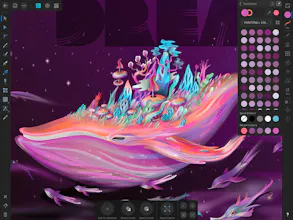
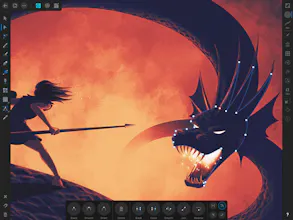
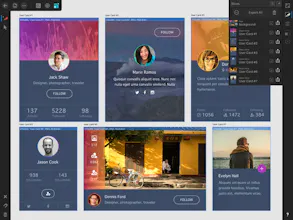
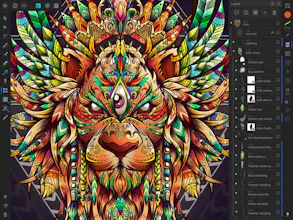
Affinity Designer is the fastest, smoothest, most precise vector graphic design software available for the iPad. Whether you’re working on graphics for marketing materials, websites, icons, UI design or just like creating cool concept art, Affinity Designer will revolutionize how you work.
Affinity Designer for iPad gallery image
Launch tags:iPadDesign Tools
Launch Team
Anima - Vibe Coding for Product Teams
Build websites and apps with AI that understands design.
Promoted

What do you think? …

Chris Kellett

I am a 20 + year Adobe user and they have never been able to do what affinity is doing the desktop apps we are coming to love on a handheld is just incredible. The quality, speed just everything is amazing.

Pros:

Fast desktop app for the iPad

Cons:

Nothing

Alex

This is a really good and cool product!

Pros:

Its easy, not expensive and useful

Cons:

nothing

Jacqueline von Tesmar
Hey @philipamour, Is this a product you use? How does it compare to other graphic design products?
Philip Amour
@jacqvon Hi Jacqueline! As a Product Designer, I mainly use Sketch on macOS for UI design as it's a tool made for UI design. I don't have illustration or graphic design skills so that's something to keep in mind. Affinity Designer is great as a replacement for Adobe Illustrator (and better in every single way). I have used Affinity Designer briefly for a bit of icon design work, it's not too bad for that. It's also a great tool for illustrators who want a vector based tool that allows for high fidelity results. But UI design is a pain as the tool wasn't optimized for that. It's made mainly for illustrators and folks who do vector work.
Daniel Roger Casanova
How does this stack against concepts and procreate, the apps I currently use?
Philip Amour
@danirogerc It really depends on what you do. 😊 Procreate is amazing but it's a bitmap based tool so you have a fixed pixel canvas you're working with. That means once you draw something, you can't really edit it later. Also you can't scale stuff or down without losing quality. Affinity Designer is mainly vector based tool so any part of the illustration you do can be adjusted later (adjusting shape, changing color, scaling, moving, etc.) and can be theoretically scaled to infinity. I haven't used concepts yet so I can't comment on that.
Abheyraj Singh
@danirogerc I think the major advantage of this is going to be interoperability with your desktop workflow. If you have Affinity Designer on desktop which is a great Adobe Illustrator alternative, you can continue where you left off. Or even if you don't have affinity designer, you can export your vector sketches from your iPad in SVG, PDF or any other open format and continue working on it in Illustrator. Procreate only has raster export IMO and I haven't used concepts
Manase Fidimalala
Nice to see it on iPad. I loved the desktop version
Todd Kovalsky

I wanted to love this program but after getting so far, I was unable to use it for my needs. It was easy to use and wasn't another SaaS based app you have to pay monthly for. But when it came time to generate a PSD file, I was not able to use it.

Pros:

Easy to use, fixed price model.

Cons:

PSD export limitations

Mikel Steffen
The desktop version of this amazing. Can't wait to try the iPad version!
12
Next
Last