
SlidesCraft
Create presentations with scalpel-like precision
111 followers
Create presentations with scalpel-like precision
111 followers
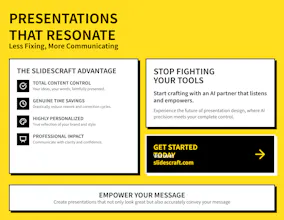
Frustrated by AI altering content or generic templates? SlidesCraft solves this. Generate slides one-by-one from your text for full control. Choose from 24 professional styles & customize deeply. Save time, enhance impact.






Free Options
Launch Team / Built With


Render: Get up to $100K in startup creditsThe fastest way to deploy and scale apps and agents
Promoted
Hey Product Hunt! 👋
We’re the team behind SlidesCraft, and we're thrilled to launch SlidesCraft – the AI slide generator built for professionals tired of fighting tools that just miss the mark.
We created SlidesCraft because we've all felt that frustration: AI adding irrelevant fluff, messing up your core message, or generating generic designs from "one-click full deck" attempts that then take ages to fix. Sound familiar? 😩
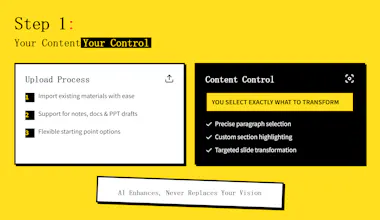
SlidesCraft puts YOU back in control. Your presentations, under your command – no more fearing AI discarding your content or messing it up! Instead of vague full-deck generations, you simply select your text from your own materials, and our AI generates one precise slide at a time for complete accuracy.
This focused approach means you can achieve truly customized presentations. Choose from 24 professional styles, then deeply tailor every visual detail. And here’s a game-changer: SlidesCraft is built on HTML, giving you the power to modify any element with the precision of an HTML expert, without needing to know any HTML at all! Imagine tweaking layouts and details at a fundamental level, effortlessly. And yes, it handles data visualization properly! 📊✨
The goal? You spend less time correcting, more time communicating with impactful, highly personalized presentations that truly reflect your vision.
We’d love to hear from the Product Hunt community:
🧠 What's your biggest pain point when creating presentations (with or without AI)? Specifically, how do you feel about "one-click" full AI generation vs. more controlled, granular methods?
🛠️ What tools are you currently using to build your slides, and how much granular customization (like tweaking underlying structures) do they offer?
We're here all day to chat, answer questions, and are super eager for your honest feedback. Thanks for checking out SlidesCraft! 🙌
The idea of HTML-based decks is fantastic, but does that affect portability? Can users export to PDF or integrate with tools like Notion, Pitch or Google Slides for better team collaboration?
@woody_robles Thank you for your answer. At present, there are indeed some problems, such as some elements being squeezed or overflowed. In our product, you can adjust the text size, adjust the layout of elements, and even delete some elements. It was indeed a problem before. Now with the support of Claude4, the control over the content is stronger, and there may be some solutions. Regarding PDF, Notion, Pitch or Google Slides, we do consider exporting them. This is the first version of our slidescraft. We will continue to update it. You may look forward to it. Thank you for your reply!
I love the focused slide approach it's all about precision, not fluff, Does Claude 4 adjust the tone of each slide based on the audience type like for investors versus academics or internal teams?
@jackson_wells Thank you for the thoughtful feedback! That's indeed a fantastic idea.
SlidesCraft is designed to faithfully honor the text content you provide, ensuring your voice and message remain authentic. Currently, we don't have the capability to automatically adjust the tone of each slide based on audience type (like investors vs. academics vs. internal teams), but this is definitely something we're considering for future development.
At the moment, you can switch between different visual styles within SlidesCraft to match your presentation theme and context. While the tone adjustment isn't automated yet, you always have full control over your content to tailor it exactly how you want for your specific audience.
We really appreciate suggestions like this — they help us understand what features would truly add value for our users! 🙏
Generic decks can really drag down productivity this feels like a smart move forward. How does SlidesCraft manage structuring content when users are starting with just raw ideas or bullet points?
@samuel_kahlo Good question, we are considering adding the ability to upload a pdf, any existing document is a good choice, or a CHATGPT generated article
Can't see the templates:
@tomm_p Sorry for the inconvenience, we are troubleshooting, you can try refresh the page, thank you for your support.
@yc_m still doesn't work
SlidesCraft + Claude 4 = Death to boring decks! 🎨 Laser-focused HTML slides with 24 design styles. Precision storytelling meets visual impact - zero fluff. #PresentLikeAPro
SlidesCraft sounds like a breath of fresh air for anyone who's struggled with AI-generated slides that just don't hit the mark. I love the focus on precision and genuine customization. Can't wait to see how this shakes up my presentation game. Congrats on the launch! 🌟 What was the most challenging part of developing this fine-tuned approach?
@alex_cloudstar Thank you so much for the kind words! 🙏 Indeed, when I decided to move away from one-click generation and focus on precision customization, it meant tackling much more complex technical challenges.
The biggest challenge was actually how to perfectly blend AI intelligence with users' personalized needs. For example:
Ensuring visual consistency across multi-page presentations
Teaching AI to understand and generate special structured pages like covers and table of contents
Designing a prompt system that's both powerful and user-friendly
Making HTML editing intuitive and accessible for users who aren't familiar with code — since most users don't have a coding background
But I think the core difficulty is balancing automation with controllability — making AI smart enough to understand complex requirements while giving users sufficient control to achieve true personalization. At the same time, ensuring that even users without HTML/CSS knowledge can easily adjust styles and modify content through visual interfaces.
This required deep optimization across multiple layers: prompt engineering, interaction design, user experience, and more. I'm fortunate to have Claude-4 as such a powerful AI partner to bring these ideas to life. Looking forward to your feedback! ✨