Talk to your agent and grab what you mean as you speak: each reference lands in the brief where you said it. Also dictation in any app, annotated grabs, meetings and screen recording that writes its own transcript. All on your machine, free.
Hi Product Hunt, I'm Cedric, one of the two people who build Deixis.
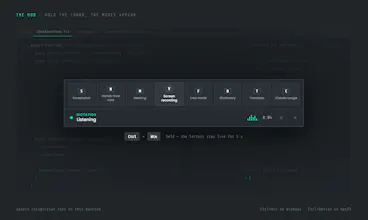
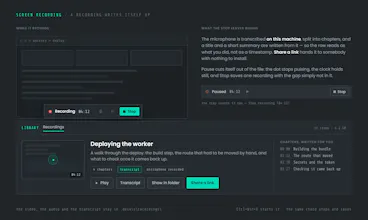
Deixis is one keyboard chord that covers most of what I used to keep four apps for. Hold it and dictate into whatever has focus: a terminal, Cursor, Claude Code, a Jira ticket, Slack. Hold it and press a letter and you get a screen grab you can mark up, a screen recording that writes its own transcript, title and summary and can be sent as a link, or a meeting recorded and transcribed. Windows and Apple silicon, nothing else to install.
Three things make it different from the tools it stands in for.
The first is that none of it leaves your machine. Speech recognition runs in-process on your own hardware, the CPU on Windows and the GPU on Apple silicon. No audio is uploaded on any plan, ever, and you do not need an account to dictate at all. Switch on the optional cloud tidy-up for long sentences and that text is routed only to zero-data-retention endpoints, and a team admin can turn the cloud off for everybody at once. Every byte that ever leaves is one table you can read: https://deixis-voice.com/privacy...
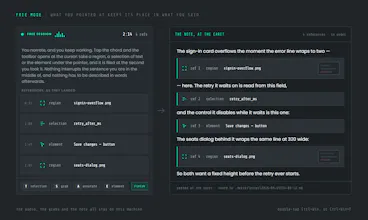
The second is the part nothing else does. Double-tap the chord and just talk. While you are still talking, point: drag a box round the failing test, select the line of the log that matters, and on Windows click the element itself. Nothing interrupts you. Double-tap again and the whole thing lands at your caret as one brief, in the order you said it, with the screenshots saved beside it as files. Your agent reads it as markdown. It is how I brief a coding agent all day, and it is why I stopped typing the paragraph and screenshotting the error separately.
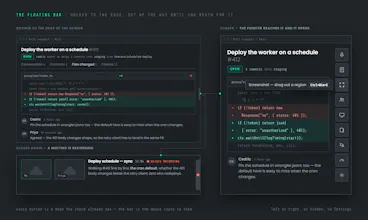
The third is that it is built to be plugged into rather than lived in. It types at the caret of whatever has focus, so it needs no integration with anything. Your notes, transcripts and recordings are plain files in one folder you can back up. Your own webhooks can receive a finished note. And a program on your own machine can put a question on the pill and get your spoken answer back, with a permission tick per program and no network port anywhere: https://deixis-voice.com/developers
The split worth knowing before you install: dictation, the point-and-talk brief, screen grabs and screen recording are on both platforms. Meetings, translation and a couple of smaller modes are Windows today, and the Mac is behind on them. I would rather say that here than have you find out afterwards.
Everything that runs on your machine is free, forever, with no account. Pro is $49 a year for the managed cloud extras, with a seven-day trial you start when you feel like it, and if you would rather use your own provider key then all of it is free anyway.
What I would really like from you today: tell me what you would point at. I have been building this for my own workflow and I am certain there are obvious references I have not thought to capture.