
Pieoro
AI draws it, animate it, ship it as code
4 followers
AI draws it, animate it, ship it as code
4 followers
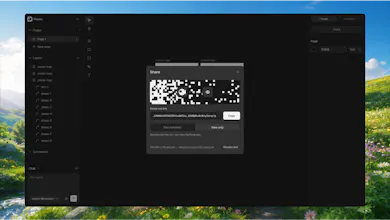
Turn any AI drawing into editable vector layers. Most AI image tools hand you a flat picture; Pieoro gives you the shapes underneath. Put each layer on a real timeline with motion presets, then export SVG, MP4, WebM or Lottie — free in a browser tab, no account, no watermark. React, SwiftUI and Compose components with the motion already inside are what Pro adds


Free Options
Launch Team / Built With


ArticosTest your messaging on your audience, right inside Claude or ChatGPT
Promoted
Hi Product Hunt 👋
I built Pieoro because every AI image tool hands you a static picture, and the moment you want it to move, you're redrawing it by hand
Pieoro turns any AI drawing into real vector layers: every shape editable, every layer on a timeline. Or just describe what you want in a sentence and it draws it for you. Pick a motion preset, set the timing, and export SVG, video, GIF, Lottie — or SwiftUI code
It's free in the browser, no account needed. Pro adds share links, comments, cloud saves and AI credits.
One thing that changed along the way: the first version tried to grade and fix files against a design system. Nobody wanted a critic. People wanted the picture to move, so the timeline became the product
Here's a fox I made and dropped straight into an iOS onboarding screen as SwiftUI, no PNG anywhere: https://youtu.be/OEWcLzxc-3g
Two things I'd love to hear from you: which generator you bring your drawings from, and which export you actually need. Both decide what I build next