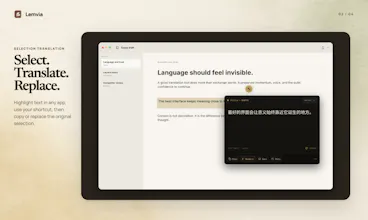
Lemvia keeps translation inside your Mac workflow instead of sending you to a browser or separate chat. Translate selected text beside its source, capture unselectable screen text with local OCR, or work in a focused bilingual desk. Copy or replace results in place, keep history locally, and choose Lemvia Cloud or your own compatible API.
Hi Product Hunt — I’m Charles, the independent maker behind Lemvia and Quartz.
I built Lemvia around a simple idea: translation should not force you to leave the place where you are reading or writing. Too many workflows still mean switching to a browser, pasting text, copying the result, and then finding your way back. Text inside menus, images, PDFs, and subtitles adds another layer of friction.
Lemvia brings three workflows together on the Mac: selection translation beside the source, screen capture with local OCR, and a focused bilingual workspace for longer text. After translating, you can copy the result or replace the original selection directly.
I also wanted the data path to be easy to understand. Translation history can stay on your Mac, the active translation route is always visible, and you can choose Lemvia Cloud or your own compatible API.
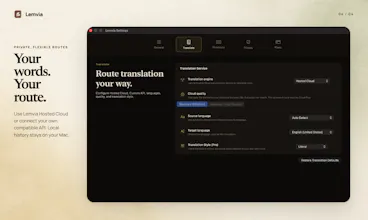
Lemvia is available today for macOS 13 and later. I’d especially value feedback on selection translation, OCR accuracy, and whether the routing and privacy controls feel clear.
Thanks for taking a look — I’m happy to answer any questions.