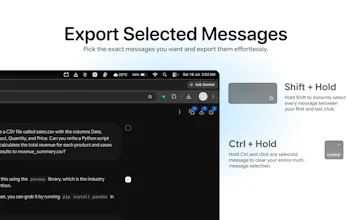
Export ChatGPT, Claude, Gemini, and Grok conversations as Markdown, JSON, or text — or hand them off to another AI and keep going. Includes Table of Contents for long threads, Deep Research reports, tool calls, citations, and generated images. 100% local, no servers, no account. One click to copy, download, or continue elsewhere.
Hey Product Hunt! 👋
I built ConvoVault because I kept wanting to take a conversation from one AI and continue it in another — or drop the good parts into my notes app for research. Copy-pasting lost formatting, structure, sources, and tool traces. Existing tools either felt heavy or sent data somewhere else.
So ConvoVault does three things cleanly:
One-click export to Markdown (code, tables, headings preserved), JSON, or plain text
Continue In… — hand the conversation off to ChatGPT, Claude, Gemini, or Grok and pick up right where you left off
Table of Contents — an in-page rail for long threads so you can jump to any message instantly (no more scrolling a 200-message chat)
It also captures the full picture:
Deep Research plans + full reports (Gemini & ChatGPT)
Tool calls, web searches, code execution, artifacts
Inline citations and Sources sections
Generated images (including Grok)
Everything runs 100% locally in your browser. Zero data collection, no servers, no account required.
I’d love feedback, especially on the new Continue In / TOC experience . What would make cross-AI handoff or research archiving even smoother for you?
Install link is above — happy to answer anything!
Report
No reviews yetBe the first to leave a review for ConvoVault : AI Chat Exporter