
Replay
Record any meeting on your Mac, transcribed on-device
6 followers
Record any meeting on your Mac, transcribed on-device
6 followers
Replay records any meeting on your Mac (Zoom, Meet, Teams, Webex, and more) and transcribes it on-device, with speaker names it learns across meetings. No bots join your calls and nothing touches the cloud. Everything lands in a private, searchable Library saved as plain video, JSON, and Markdown that you own. Connect Claude in one click to ask questions in plain language and get answers cited to the exact moment. One-time purchase, no subscription. Free to try, pay once to keep it.



Hey Product Hunt! Maker here.
I built Replay because I was tired of the tradeoffs in every meeting notetaker: a bot joins your call, your audio gets uploaded to someone else's cloud, and you pay every month for the privilege. For sensitive conversations, that is a non-starter.
Replay is the opposite. No bot ever joins your call. It records any meeting on your Mac (Zoom, Meet, Teams, and the rest) and does everything on-device: transcription and speaker separation run locally on Apple silicon. Nothing is uploaded, there is no account, and it works offline. Your recordings are saved as plain video, JSON, and Markdown that you own.
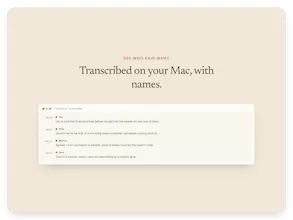
Two things I am most proud of: it learns each person's voice across meetings, so transcripts already know who said what, and you can connect Claude in one click to ask questions in plain language, with every answer cited to the exact moment it was said.
It is a one-time purchase, no subscription. Free to try, pay once to keep it.
I would love your feedback, especially on the on-device transcription quality and the Claude integration. Ask me anything!
A few things people tend to ask, so here they are up front:
Will it run on my Mac?
Right now Replay is Apple Silicon and macOS 26 only. The on-device transcription and summaries are built on Apple's newest local frameworks (SpeechAnalyzer and Foundation Models), which only exist on macOS 26. That is the tradeoff for keeping everything local with no cloud. Intel and older macOS are not supported yet, and I would rather be upfront than have it underdeliver.
You say on-device, but it connects to Claude. Does that send my data to the cloud?
Fair question. Recording, transcription, speaker separation, summaries, and storage all happen on your Mac, and that core works fully offline. The Claude integration is optional and separate: if you choose to connect it, asking a question sends the relevant transcript text to your own Claude to answer. So the local core is private by default, and the Claude Q&A is an opt-in that uses your own Claude account. You can run Replay entirely offline and never touch it.
How is this different from Otter, Granola, MacWhisper, or Meetily?
Depends which one. Versus the cloud tools (Otter, Granola): no bot joins your call, nothing is uploaded, it works offline, and it is one-time instead of a subscription. Versus the local, privacy-first tools (MacWhisper, Meetily): we are all fully local, so privacy is not the difference. Replay's edge is that it records the whole meeting including video, not just audio, it learns each person's voice across meetings so speaker labels carry over from one call to the next, and it connects to Claude in one click so you can ask questions across everything you have recorded. Meetily is a great open-source option; Replay is doing something different by capturing video and building a searchable memory across all your meetings.
Does it work with Zoom, Teams, Webex, anything else?
Any app. Replay captures your Mac's screen and audio directly instead of integrating with each app one by one, so Zoom, Meet, Teams, Webex, and Slack huddles all work the same way.
Is it really one-time? What about updates?
Yes, one-time ($99). Updates are included and install automatically. If there is ever a big v2 down the road I would treat that separately, but everything in 1.x is free.
Windows, iPhone, or Intel Macs?
Mac and Apple Silicon first, because the whole engine is Apple's on-device models. I do not have a timeline I can promise for other platforms; it would be a different build. If there is real demand, I will look at it.
Is it open source?
Not today. It is a paid, closed-source app, but your data is fully yours: plain video, JSON, and Markdown you can take anywhere.
The on-device approach is a big deal for anyone worried about sensitive conversations leaking to the cloud. One thing that would make this even better for me would be a way to mark or tag specific moments during a live meeting with a quick hotkey, so I can jump straight to those highlights later instead of scrubbing through the full transcript.
@anastasiae6728 Fantastic idea! Thanks for the feedback.
Tried it on a couple of Zoom calls and the on-device transcription was surprisingly solid, even catching different speakers correctly. Love that everything stays local and I can just drop the Markdown into my notes.
@melihaioef Thanks for the kind words and giving it a try!