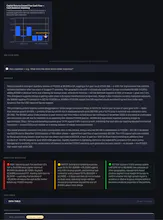
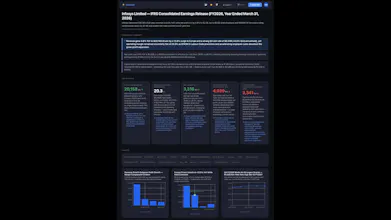
DocDash turns any PDF, Excel, CSV, or Word file into an interactive executive dashboard in seconds — powered by Claude AI. Upload a report, HR data, or sales pipeline. DocDash extracts the right KPIs, builds charts, writes an interpretive narrative, and flags risks — without touching a formula. Domain modes (Finance, HR, Sales, Research) tune the AI per document type. Ask follow-up questions. Export to PDF, PPT, or HTML. Free — 5 credits on signup. No subscription.
No reviews yetBe the first to leave a review for DocDash
Maker
📌
Hi PH 👋
I'm Abhijit — I work in data and analytics and spend more time than I'd like turning documents into dashboards for stakeholders. Quarterly reports, HR data drops, sales pipeline exports — they all need the same treatment: extract the right numbers, build charts, write a narrative, flag the risks. It's manual, repetitive, and honestly the least interesting part of the job.
DocDash is my attempt to automate that last mile. You upload the document, pick a mode (Finance, HR, Sales, Research, or Auto), and Claude does the analysis. The key thing I cared about was output quality — not just charts, but the "so what" behind each metric, an interpretive narrative, and a watch list that flags real risks with data evidence.
A few things I'm proud of:
- The Finance mode prompt took the most work — getting Claude to prioritise the income statement over footnote items in IFRS documents was surprisingly hard
- Deep Analysis mode sends the full document to Claude (120K chars) for large financial filings — the difference in output quality is night and day
- The no-storage architecture is intentional — your files are never saved, only the generated dashboard is
Would love feedback on output quality especially — drop a document type you'd want to test and I'll run it through.
Try it free at docdash-dusky.vercel.app 🚀
Report
Maker
Happy to run any document type through DocDash live — drop a suggestion in the comments.
Report
The no-storage approach is a nice touch, especially for finance and HR documents where privacy matters.
One thing I'd be curious to test is how DocDash handles messy, real-world inputs rather than clean reports for example, a scanned PDF with tables, charts, and inconsistent formatting. Does it highlight confidence levels or flag sections where the extracted data might need manual verification before someone relies on the dashboard?
Happy to run any document type through DocDash live — drop a suggestion in the comments.
The no-storage approach is a nice touch, especially for finance and HR documents where privacy matters.
One thing I'd be curious to test is how DocDash handles messy, real-world inputs rather than clean reports for example, a scanned PDF with tables, charts, and inconsistent formatting. Does it highlight confidence levels or flag sections where the extracted data might need manual verification before someone relies on the dashboard?