
Launched this week

Snapr
Screenshot, record, annotate & edit video in one app
116 followers
Screenshot, record, annotate & edit video in one app
116 followers
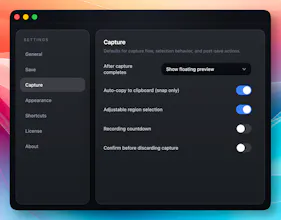
Stop switching apps to capture your screen. Snapr combines screenshots, recording, annotation, and video editing in one app for macOS & Windows. • Fast, handy annotation tools built in • Scroll capture for long pages • 60fps 4K recording with system audio + mic • Record iPhone/iPad from Mac • Style captures with backgrounds, shadows for polished output • Export presets: 4K, 1080p, 720p, GIF • Clean desktop mode Pay once, use forever. Free version available - no watermarks, no time limits.




I’ve read the description, but I’m still not quite sure what "Scroll Capture" means. Do you have a video demo of this feature?
@mrbrjan “Scroll capture” is a feature that lets you turn long, scrollable content into a single image — feel free to check it out: https://snapr.pineple.com/guide/pro/capture-scroll
Also, does “scroll capture” sound natural to you? I’m not a native speaker, so I’d really appreciate your feedback.
Scroll capture seems like the most interesting thing here, but looks like you need to pay to try it. Might want to allow it a limitted number of times or for a trial period.
@thomas_berg3 That’s a great point — I’ll definitely think more about lowering the barrier to entry.
Snapr actually offers a 7-day Pro trial as well, so feel free to give it a try 🙂
https://snapr.pineple.com/trial
Thanks a lot for the feedback!
This tool is awesome I used it for taking a screenshot of a long scholar paper yesterday, it took 50 shots and combined into a single image. It would have taken more than five minutes without this tool. Thanks bro, we eventually have it
@onejae_lee Really appreciate it, thanks! I’ll keep hustling to bring more powerful productivity features your way 💪
I've been paying for two separate apps for screen recording and video editing, and it's been bugging me for a while. Finding out Snapr covers both with a one-time purchase was a relief. Congrats on the launch!
@ray_artlas Thanks for finding Snapr! I’ll make sure to keep delivering updates that go beyond a one-time purchase — stay tuned~
Switching between multiple screen tools gets annoying… having everything in one place actually makes sense.
@rajinder1 Thanks for the empathy — I’m going to dig deeper into exactly that pain point 🙌
If this actually replaces multiple tools without slowing things down, that’s pretty useful.
@ritu21 I’ll do my best to make that happen — one advantage of being a solo builder is I can move pretty fast 😄