
Clipo AI — One Video, 20 Content Pieces
One video → clips, carousels, personalized posts, img & more
61 followers
One video → clips, carousels, personalized posts, img & more
61 followers
Creators record one great video, then spend hours cutting it into clips, posts, and carousels using 5-10 tools. Clipo replaces all of them. One upload → 20 pieces of content in minutes. Social ready AI clips with virality scores. Keyword and visual search for exact moments. Branded carousels from transcript. LinkedIn and Twitter posts in your voice. Thumbnails, subtitles, screenshots, AI images. Edit video like a document — no timeline. AI proposes. You decide. Free to start, no credit card.




Free Options
Launch Team / Built With


Render: Get up to $100K in startup creditsThe fastest way to deploy and scale apps and agents
Promoted


Hey Product Hunt! I'm Abhishek, founder of Clipo AI.
I was the founding AI engineer at Vidyo AI (now Quso AI, 1M+ users). Before that, deep learning researcher working with Sony Japan. I've spent 8 years building AI systems for video content — and I kept seeing creators waste hours turning one great recording into clips, posts, carousels, and thumbnails using 5-6 disconnected tools.
Clipo is what I wish existed. Here's what actually happens when you upload one video:
🎬 AI Clip Engine (not just one algorithm — seven)
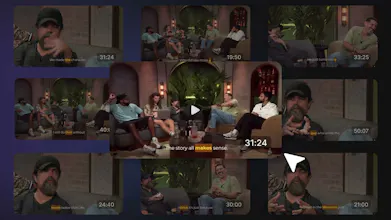
Standard clips with virality scores. Silence and filler removal. Chapter detection. Keyword search — type "marketing budget" and get every mention clipped. Visual search — describe a moment in words, AI finds it. Highlights detection using audio + visual signals, not just transcript. Gap clips — AI combines non-consecutive moments into montages. Each clip type finds moments the others miss. Chat with Video, transcript-based editing, and much more.
✂️ AI Video Editor
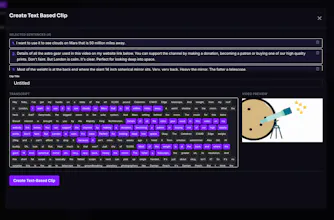
Edit any clip like a Google Doc — select words in the transcript to keep or cut. Auto-reframe with face tracking and speaker switching for podcasts. Manual reframe for per-segment control. Subtitle styling with word-by-word animation, colors, and templates. Background music, overlays, gaming portraits, zoom control, brand kits, social media captions. Save drafts and resume editing anytime.
📱 AI Carousel Generator
Give it a topic or paste your transcript. Get back a branded 7-slide carousel — hook, problem, solution, proof, steps, CTA — with auto-selected imagery, your brand kit and logo applied. Edit any slide by chatting: "make slide 3 punchier.", "add relevant image to 50% of slide 4." Export as PNG or PDF. No other clipping tool builds carousels like this.
✍️ AI Writer + Voice Studios
Every video automatically generates SEO articles, blog posts, summaries, show notes, captions, newsletters, chapter summaries, quotes, and timestamps. LinkedIn Post Studio and Twitter Studio learn your actual writing voice from your past posts — then generate content that sounds like you, not a template. Feed in trending news using the built-in news discovery tool and turn it into voice-aligned posts.
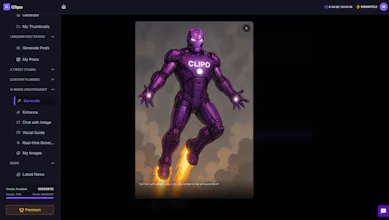
🖼️ Visual Suite AI image generation from prompts.
Image enhancer with natural language editing. YouTube Thumbnail Generator from any video URL — Flash and Pro models, up to 4K, multi-platform. Chat with Image to edit conversationally.
📸 Screenshot Navigation
Browse your entire video visually with screenshots captured every 0.5 seconds. Scroll at any speed. Find the exact moment without scrubbing a timeline.
📅 Scheduling, Captions & Analytics
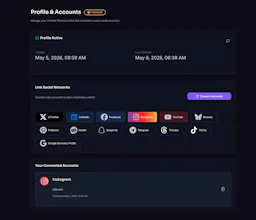
Generate AI captions optimized for every platform. Schedule and publish across 13 platforms from one dashboard. Unified calendar with visual categorization by format. Bulk publishing. Track engagement, compare content performance by type, and get platform-by-platform breakdowns — all without leaving Clipo.
🎭 Faceless Shorts (Beta)
Paste a script or enter an idea. AI expands it, adds voice, generates visuals, and produces a complete short — no camera needed.
12 products. One connected workflow. One upload.
The core principle: AI proposes, you decide. Every output is a suggestion, not a final product. The creator stays in control.
Free for the PH community. No credit card needed. Your feedback shapes what we build next.
🚀 Founding Member Deal — this week only: extra 20% off any annual plan, forever. Lock it in before it's gone.
Try it → clipo.pro
Congrats on the launch @abhishekr_ai! As a user of opus.pro my first thought was how does clipo.pro compare? Or, what problem are you solving that Opus has missed?
@peterclaridge Thanks Peter! Great question.
Opus nails clipping but content repurposing is much bigger than clips.
Clipo covers the full picture: drop in a video and get posts, tweets, articles, show notes, quotes, summaries (AI Writer). Use LinkedIn Studio and Twitter Studio to turn any article into posts in your voice. Browse our built-in news platform to create niche-relevant posts. And generate carousels from topics, transcripts, or videos.
The philosophical difference matters too: Opus goes full automation, we go human-in-the-loop. Every Clipo output is a soft proposal, edit thumbnails, carousel slides, headings, photos, all through natural language. You stay in the driver's seat.
On video clipping depth, they're slightly ahead today. On breadth and creator control, we're ahead. And we're closing the depth gap fast.
Happy to give you a walkthrough if you want to compare side-by-side!
Tried Clipo recently and it’s genuinely impressive.
As a video editor, I’m usually skeptical of auto-clipping tools, but this one actually delivers. The clips are well-timed, captions are clean, and it significantly reduces the time spent repurposing long videos into shorts.
It’s simple, efficient, and fits well into a fast-paced workflow. Definitely a solid tool for content creators. Great work by the team
@kamesh_chahar Thanks Kamesh! Coming from a video editor, that means a lot. We spent a lot of time making sure the clips are actually usable, not random AI cuts. Glad the caption quality stood out too. Let me know if you try the carousel generator next, curious what a pro editor thinks of it.
been using clipo for a few weeks now and honestly its a great tool for creators. making shorts for socials and just posting/scheduling them instantly is so nice. the editing features r sick, specially that auto reframe thing that just pans straight to the face automatically. also been messing with the linkedin and twitter post creators and they actually write just like i do which is crazy. all in all really good product tbh.
good luck with it!
@pritam10 Really appreciate the detailed feedback! The auto-reframe speaker tracking was one of the hardest things to build, glad it's working well for you. And yeah, the LinkedIn/Twitter voice matching is something we're really proud of. It's not generic AI writing.It actually learns YOUR style. Thanks for the support!
Used Clipo for its chat-with-video and AI Writer features…
The chat makes it super easy to interact with video content, and the AI Writer does a solid job turning videos into clean notes, summaries, and even newsletters. Pretty handy overall, great work!
@sagar_jaswal Thanks! Chat-with-video is one of my favorite features, being able to ask questions about your own content and generate posts from the answers feels like magic. The AI Writer gets better the more you use it too. Glad it's clicking for you.
Looks dope and congrats on the launch! Can the AI voiceovers do languages other than English?
@ermakovich_sergey Thanks Sergey! We do support multiple languages for subtitles and transcription including English, Hindi, Spanish, German, and French. For AI voiceovers in Faceless Shorts, we currently support English only with more languages coming soon. What language are you looking for? Happy to prioritize based on demand.
I have been using Clipo and honestly it makes clipping videos easy to find.
What I liked most is that I don’t need complicated editing skills to create clean short clips quickly. The workflow feels simple, fast, and beginner friendly.
It saves a lot of time compared to traditional editing apps. Definitely useful for creators and anyone who shares content regularly.
@abhinav_rai14 Appreciate that! Making it beginner-friendly was a core design goal, we wanted anyone to go from upload to published clips without watching a tutorial. If you haven't tried the keyword search yet, give it a go — type any topic and it pulls every mention. Really speeds things up.