
Launching today

send/links
Save, organize, and find your links in one place
102 followers
Save, organize, and find your links in one place
102 followers
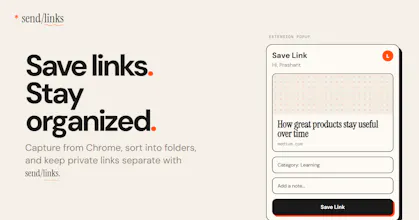
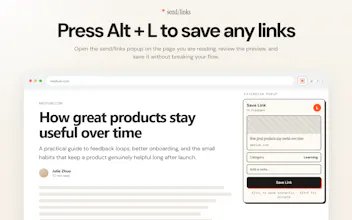
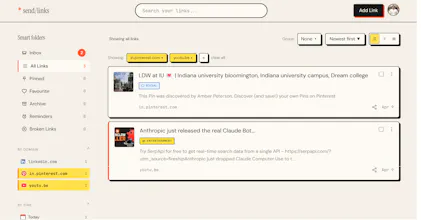
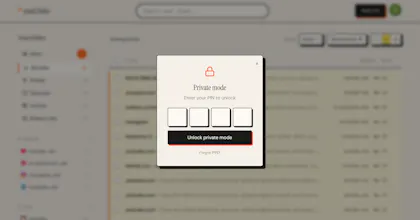
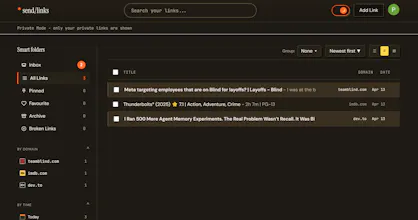
Save links from your browser. Organized automatically. Find anything in seconds. Links get lost. Bookmarks pile up and never get revisited. Tabs stay open for weeks because you don't know where else to put them. sendlinks fixes that. Press Alt+L on any page - your link is saved, titled, and categorized automatically. No manual tagging. No folders to manage. Save privately with Alt+P. PIN-protected, invisible to everyone. Free forever. No credit card needed.
send/links
@prashantchanne this is brilliant, I'm an organization freak, but also I'll use a tool only when it's designed well - send/links meets both of these ;). One note: there should be an icon/button in the extension that opens the web app.
send/links
@dominik_bartosik Thank you so much, this genuinely made my day.
Really glad the design resonates.
And that's a great call on the extension button. Working on it today and will push the update shortly💯
@prashantchanne perfect ;). I'll also test @Bypass later today, looks promising also!
I took a look at your website. I don't see any pricing plan there, but it doesn't say it's completely free, so it's a bit confusing. I really liked the idea and want to use it, but I don't want to know what links are getting attached to this. Can you explain a bit more on that?
@nayan_surya98 When I signed up, it said it was "Free forever"
send/links
@nayan_surya98 Great feedback, really appreciate you pointing that out.
send/links is completely free, no hidden plans. I think that was leftover placeholder content I forgot to remove before launching, sorry about the confusion.
On the privacy side, your links are stored securely in your account and are only visible to you. We never sell your data, never share it with third parties, and never use your saved links for any purpose other than showing them back to you. Private links go one step further with PIN protection so even if someone has access to your account they can't see them.
Hope that clears it up. Let me know if you have any other question. Thank you so much
Okan
Having a dedicated search layer just for saved links is going to save me so much time digging through my chaotic browser history. Do you have plans to build out an API so we can programmatically push URLs from other apps? I could easily see myself hooking this up to a script that automatically archives interesting repositories my team drops in Slack.
send/links
@y_taka That's exactly the use case send/links is built for, really glad it resonates.
An API is absolutely on the roadmap. The vision is exactly what you described - a simple POST endpoint where you can push any URL from scripts, automation, Zapier, or whatever your workflow looks like. Your slack to send/links pipeline sounds like a perfect fit.
I'll keep this thread updated as it progresses. Would love to have you as an early tester when it's ready
Would love to also have a dedicated email address that I could forward links and articles to, because that's what I do in my current workflow, especially if I'm on mobile. I email myself links for me to read or check out later. Excited to give this a shot!
send/links
@apcarpl Love this suggestion and you're not alone in this workflow. A lot of people (even me) email links to themselves as a quick capture method.
A dedicated save-by-email address is going on the roadmap. Something like save@sendlinks.app where anything you forward lands directly in your collection. Clean, simple, works from any device or email client.
Excited to have you try it out. Thank you so much for the suggestion
I've tried Raindrop, Pocket, Notion databases, even sending links to myself on WhatsApp (sounds familiar?). None of them stuck because the save action always had too many steps.
send/links eliminates that entirely. Alt+L and it's done - no tab switching, no naming, no categorizing. The auto-organization is surprisingly accurate.
What didn't work: Telegram bot integration is broken for me, which is frustrating because saving from mobile is where most "I'll read this later" links come from.
Genuinely one of the most useful free tools I've found this year. Just fix mobile and this becomes a daily driver for a lot more people.Amazing! 🔥👌
The WhatsApp-to-yourself pipeline for saving links is painfully relatable — I have definitely done the same thing, along with emailing links to myself and leaving seventeen tabs open for weeks pretending I will read them later.
The auto-categorization without manual tagging is the part that gets me. Every other bookmarking tool eventually dies because maintaining the folder structure becomes a second job. Removing that friction entirely is the right call.
I have my coffee; I can't have my breakfast.
Curious whether you are planning any kind of collaborative or sharing layer down the road, or if the intentional direction to keep this strictly personal and private?