
Unifyl
Dual-pane file manager for macOS with on-device AI
5 followers
Dual-pane file manager for macOS with on-device AI
5 followers
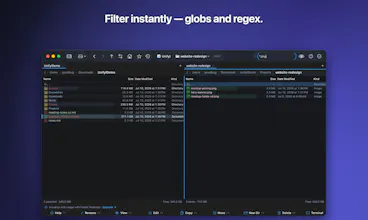
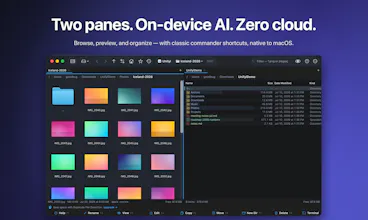
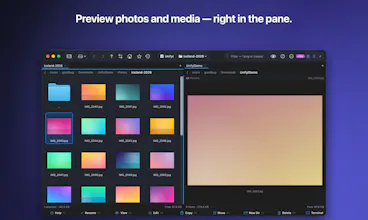
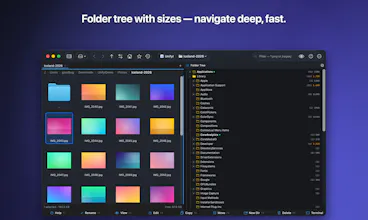
Total Commander's depth with ForkLift's polish, and AI that runs on your own Mac — your files never leave it. Two panes, classic F5/F6 keys, archives that open like folders, folder sync with SHA-256 verification, and every major cloud. Free to download; Pro is a one-time purchase, not a subscription.
Free Options
Launch Team / Built With

Maker here. I built this because I kept hitting the same three walls in Finder:
no second panel, no way to prove two folders actually match, and archives you
have to unpack before you can look inside.
Two things I'd rather say up front than have found out:
The Mac App Store build is sandboxed, so it does not have the developer tools —
Git panel, inline terminal, Docker, SSH tunnels, the port and process viewers.
Those need to spawn processes, which the sandbox forbids. If you want them, take
the direct download. Everything else is identical.
The AI is genuinely local. Semantic search runs through CoreML on the Neural
Engine and the vector index sits on your disk. There is no account, no server
and no telemetry, which also means I cannot see what you searched for — if you
report an AI bug I will need you to describe it, because I have nothing to look
at on my end.
Happy to answer anything, including the boring parts. My favorite bug this
month: opening your home folder triggered a Photos permission dialog, because
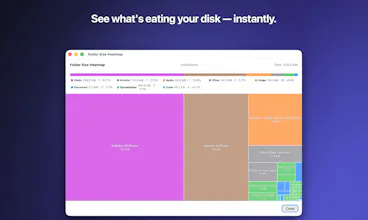
macOS guards a plain directory called ~/Library/Photos and my folder-size walk
stepped into it. TCC logs never name the path — I found it by attaching a
debugger while the dialog was up and reading the path out of the blocked
open() call's register.
1.0.1 ships today with fixes for Korean archive support!