Launching today
Copipe

Copipe

コピーした文章を、その場で整形・翻訳。画面の行き来をゼロにする。

1 follower

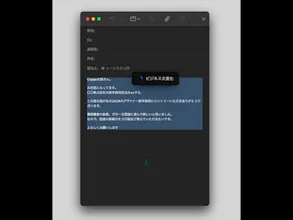
Copipe executes AI actions (translation, refinement) on selected text via a shortcut, right where you are. It eliminates the friction of switching windows to process text. Two modes fit your intent: 1. Paste Mode: Instantly auto-pastes the result for immediate use. 2. Panel Mode: Opens a chat panel to simply check answers, verify nuances, or ask follow-up questions without pasting. Copipe streamlines your workflow without interrupting your train of thought.
Copipe gallery image
Free Options
Launch Team / Built With
Intercom
Intercom
Startups get 90% off Intercom + 1 year of Fin AI Agent free
Promoted

What do you think? …

tatsu
Maker
📌
I’m the maker of Copipe. I built this app to solve a personal frustration I faced every single day: The cost of context switching. We all know the struggle. You are crafting an email, writing an article, reading a complex paper, or working on a design, and you need to refine your text or verify a nuance. To do this, you are currently forced to switch windows to open an external tool—be it a browser, a translation app, or an AI service—breaking your flow just to copy, paste, and return. This constant back-and-forth movement destroys your focus. I wanted to bring these capabilities directly into my workflow, existing silently between "Copy" and "Paste." Copipe is a dedicated Mac app that lets you execute AI actions (Refinement, Summarization, Translation, etc.) on selected text with a single keyboard shortcut. It happens right where you are, without ever leaving your screen. With the latest update, I wanted to expand the experience beyond just "speed." While "Auto-Paste" is the ultimate solution for execution, sometimes you simply need to verify a nuance or brainstorm without altering your text. To cover both needs, I introduced two distinct modes: ⚡️ Paste Mode (Efficiency-Focused) Perfect for when you want to reflect the result immediately. For example, fixing a grammar mistake in an email or refining UI copy. By simply entering the shortcut, the text is instantly replaced. It completes the flow from "processing" to "Using" in a single, compact action. 🧠 Panel Mode (Knowledge-Focused) Perfect for when you want to verify or ask questions. For instance, checking the nuance of a phrase in a paper or brainstorming ideas. Instead of auto-pasting, a chat panel opens on the spot. You can check the answer, ask follow-up questions, and gain knowledge without cluttering your document. I designed Copipe to ensure that external tools never become "noise" in your thought process. Whether you need to fix a typo in 1 second or have a deep conversation about a concept, Copipe adapts to your intent. I’d love to hear your feedback and how it fits into your workflow!