Launching today
LogKitty

LogKitty

Capture Android logs. Let AI explain them.

2 followers

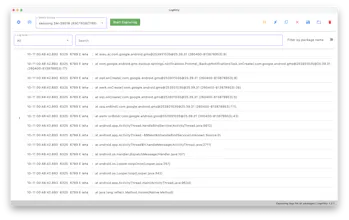
LogKitty captures Android logs and uses AI to help you understand what’s actually going on. Connect a device, capture logs, select what matters, and ask questions in plain English. Instead of digging through thousands of lines, get clear explanations, causes, and next steps.
LogKitty gallery image
Free Options
Launch Team
Turbotic Automation AI
Build powerful automations without code. 1 Month Free!
Promoted

What do you think? …

Ivan Kovac
Maker
📌
Hey Product Hunt, Ivan here, maker of LogKitty. I built LogKitty out of pure frustration. On a couple of Android projects I kept running into the same problem: logs everywhere, searching and reading through them all. Either you scroll forever, grep blindly, or copy chunks into a browser hoping you’ll spot something useful. It works… but it’s slow and mentally exhausting. So I built a small desktop tool that captures Android logs from a real device. It lets you select only what matters and uses AI to explain what’s going on in plain English No magic, no “replace developers” promise — just faster understanding and fewer hours lost in logcat. LogKitty is mainly for Android devs and QA who debug often and want clearer answers without context-switching all the time. I’d love your feedback: What part of log debugging annoys you the most? What would make this genuinely useful in your workflow? Thanks for checking it out. Hope you like it!