
CaptionSmith
AI captions into photo metadata
3 followers
AI captions into photo metadata
3 followers
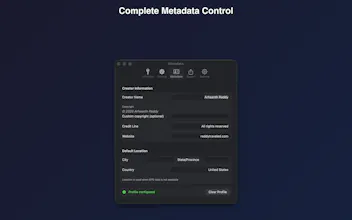
Generate photo titles, captions, and keywords with your choice of AI model, then write them directly into EXIF/IPTC/XMP (RAW via XMP sidecars). Your context stays attached to the file, searchable in Lightroom, and ready for stock uploads.





Free Options
Launch Team / Built With


Render: Get up to $100K in startup creditsCloud infrastructure for founders who want to move fast and NOT break things
Promoted
Hey Product Hunt 👋
I built CaptionSmith because I got tired of doing the same busywork over and over: writing titles, captions, and keywords, then re-entering them across apps and uploads.
What it does
• Generates titles, captions, and keywords for photos (stock-friendly and library-friendly)
• Lets you choose the model/provider you want
• Writes the results into the file’s metadata (EXIF/IPTC/XMP), so it travels with the image
• Supports RAW via XMP sidecars, so your workflow stays clean
Why “metadata-first” matters
Most tools give you text you have to copy/paste somewhere else. CaptionSmith makes the output persistent and searchable in the tools you already use (Lightroom/Photos, file search, DAM workflows) and speeds up repetitive stock submissions.
I’d love feedback on two things:
1. Which workflow matters more to you: stock presets or library organization?
2. What fields/templates should I add next (e.g., editorial rules, real estate, travel, product)?
Happy to answer any questions and share sample outputs if helpful.
Download: https://apps.apple.com/us/app/captionsmith/id6756801350