Launched this week
Cardigo: Business Card Scanner

Cardigo: Business Card Scanner

Scan, Save & Go

2 followers

Cardigo is your all-in-one solution for managing business cards, creating stunning digital cards, and handling essential documents right from your phone. Whether you meet people at events, in meetings, or on the go, Cardigo helps you scan, save, and use business card details in seconds so you never lose an important contact again. Scan Business Cards Instantly and Save Every Detail Say goodbye to piles of paper cards and manual typing.
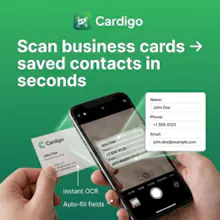
Cardigo: Business Card Scanner gallery image
Free
Launch Team / Built With
Anima - Vibe Coding for Product Teams
Build websites and apps with AI that understands design.
Promoted

What do you think? …

Kafiul Islam
Maker
📌
Hey Product Hunt! 👋 I’m Kafiul Islam the maker of Cardigo: Business Card Scanner. Cardigo started from a simple frustration: after events or meetings, business cards pile up, details get lost, and manually saving contacts is slow. We wanted a faster way to scan a card, capture the key info, and actually use it immediately without jumping between apps. So we built Cardigo around a clean workflow: * Scan business cards → save as organized contacts * Take action with one tap: call, open website, or view address in Maps * Plus a modern digital business card maker to share your own info anytime * And productivity tools we kept needing ourselves: Image-to-Text (OCR), PDF conversion, and document signing During development, our process evolved from “just a scanner” into an all-in-one tool because people don’t only want to store cards—they want to follow up faster and manage documents on the go. If you try Cardigo, I’d love your feedback on: 1. scanning + extracted fields (what fails or feels missing) 2. the digital card maker experience 3. integrations you’d want next (Contacts export, CRM, etc.) Thanks for checking it out — happy to answer anything! 🙌