Stop retyping text from images manually. Light Screen Translator is a native macOS utility that lets you grab text from anywhere—protected PDFs, inside videos, or blocked websites. Just highlight any area to instantly translate or copy raw text via OCR. Designed for speed with keyboard shortcuts (Cmd+Shift+L) and (Cmd+Shift+C). Supports the most of Latin and Cyrillic languages. Private, lightweight, and stays out of your workflow.
No reviews yetBe the first to leave a review for Light Screen Translator
Maker
📌
Hi Product Hunt! 👋
I’m the maker of Light Screen Translator.
I built this tool because English isn't my native language.
I often struggle with technical documentation, PDF manuals, or coding tutorials where I need to translate specific terms, but I can't copy the text from the screen. Switching context to type words into a translator manually was killing my flow.
That, and the daily pain of "The Photo Contact"—getting IBANs, addresses, or error codes as screenshots and having to retype them letter by letter.
I wanted a solution that felt native to macOS. Fast, private, and keyboard-centric.
What it does:
✨ Instant Translation: Select an area (Cmd+Shift+L) -> Get translation immediately.
📋 OCR Copy: Need just the raw text? Cmd+Shift+C copies it from any image, video, or protected PDF directly to your clipboard.
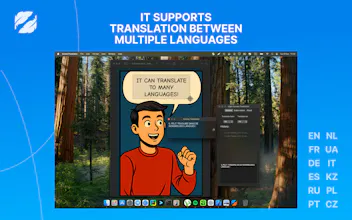
🌍 Focus: Optimized for Latin and Cyrillic languages (English, Spanish, German, French, Polish, Ukrainian, Russian, etc.).
Pricing:
- The OCR (Copy Text) feature is completely FREE for everyone. No limits.
- For the Translation feature, you get 1,500 credits for free to try it out. If it saves you time, a refill is $0.99 (basically a coffee ☕️).
I’d love to hear your feedback! What features are you missing in your current OCR tools?
Cheers!
Report
Congrats on the launch! The app looks very clean and native. I see it supports European languages, but do you have any plans to add support for Asian languages like Japanese or Chinese in the future?
Report
Maker
@vadim_kapustin Thanks! Yes, currently we focus on Latin/Cyrillic to ensure max speed, but Asian languages are definitely on the roadmap for v2
Report
This looks exactly like what I need. Quick question: do you plan to support iPad? I use some specific work software in French where parts of the interface and documentation aren't translated, and your tool would be a lifesaver there.
Report
Maker
@blinza Thanks! I’d like to support iPad, but iPadOS currently doesn’t allow apps to capture or select arbitrary screen regions from other apps. If Apple adds such capabilities in the future, I’ll bring it to iPad. For now, this workflow is only technically possible on macOS




Congrats on the launch! The app looks very clean and native. I see it supports European languages, but do you have any plans to add support for Asian languages like Japanese or Chinese in the future?
@vadim_kapustin Thanks! Yes, currently we focus on Latin/Cyrillic to ensure max speed, but Asian languages are definitely on the roadmap for v2
This looks exactly like what I need. Quick question: do you plan to support iPad? I use some specific work software in French where parts of the interface and documentation aren't translated, and your tool would be a lifesaver there.
@blinza Thanks! I’d like to support iPad, but iPadOS currently doesn’t allow apps to capture or select arbitrary screen regions from other apps. If Apple adds such capabilities in the future, I’ll bring it to iPad. For now, this workflow is only technically possible on macOS