
cospec
Write workflows in an IDE and deploy MCP servers
63 followers
Write workflows in an IDE and deploy MCP servers
63 followers
cospec is an IDE that allows you and your team to connect data from any platform, write workflows and deploy unified MCP servers for your AI agents. All with no code.
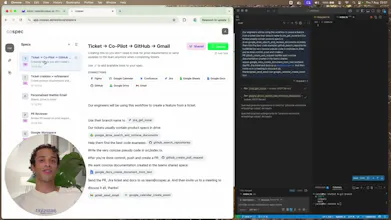


This is super interesting. I am wondering how many times does the Agent go awry (read hallucinate) with a losely defined spec. I have seen a lot of Agent prompts bloat up as complexity increases. Thoughts Jaron?
@hkalra16 Great question! This is exactly why we built cospec around structured workflows rather than open-ended agent prompting.
The key difference—cospec specs aren't loose natural language instructions to an agent. They're structured workflows that define specific tool calls and data flows.
Think more like "when GitHub issue is created → check if title contains 'bug' → create Jira ticket in Bug project → notify #dev-team" rather than "help me manage my GitHub issues however you think is best."
Unlike other MCP tools, we only expose the tools you need rather than 20+ tools available on each integration.
This means you further eliminate the guess work for your agents.
The MCP protocol enforces this structure—each tool has defined inputs/outputs with strict schemas. So instead of prompt bloat, you get predictable, repeatable workflows.
(If you've used AI tools like Cursor or Claude, human-in-the-loop is enabled by default. So you get to do your checks for more sensitive tasks)
No way, writing workflows straight in an IDE and instantly spinning up MCP servers? That’s a game changer for dev speed. Does it support VS Code extensions out of the box?
@joey_zhu_seopage_ai Truly, I've been saving a lot of time using it to write cospec already
Not VS Code extensions out of the box. But we provide the config json which you paste directly into your .vscode/mcp.json file!
For Cursor, there's a deeplink setup where we can add it to directly into your mcp config with no setup required
Whoa, this is truely cool! The unified AI context thing is such a game-changer—I'm *so* tired of jumping between a million different apps. Connecting all those tools into one workflow? Ngl, that's kinda genius imo. How customizable is it for automating our internal design handoff process?
Love how cospec actually lets AI see *all* your tools at once—no more context switching chaos, fr. This is a gamechanger for real workflows, ngl!
@cruise_chen such kind words and 2 comments! I think I love you, Cruise Chen.
I feel the same—there's so much potential for agentic automation now!
Finally, someone tackling the "AI agents can't see the *whole* picture" problem—letting workflows pull from everywhere is so smart, ngl this is gonna save teams major time.
Very intuitive idea, and it is like a lovable of automation. Wish you success!