
Win AI Buddy for Gaming
Live AI gaming coach for Windows w/ voice screen and overlay
6 followers
Live AI gaming coach for Windows w/ voice screen and overlay
6 followers
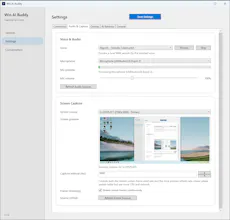
Win AI Buddy is an open-source Windows desktop app that watches your gameplay, listens to your voice, and gives live coaching through Gemini Live. It streams mic audio and optional screen capture, speaks back naturally, shows advice in an in-game overlay, and saves conversation sessions for later review. It’s built for hands-free game help on Windows, with tray mode, voice selection, overlay customization, device selection, and crash-safe session recovery.



Free
Launch Team / Built With


Viktor.comAn AI coworker that actually does the work
Promoted
I built Win AI Buddy because I wanted a real desktop gaming assistant for Windows, not just another chatbot in a browser tab. The idea was simple: let the app stay in the background, watch the game, hear what I’m asking, and answer naturally without breaking immersion.
While building it, the scope evolved from a push-to-talk screenshot tool into a live multimodal assistant powered by Gemini Live. The app now handles continuous mic streaming, optional screen streaming, spoken responses, a draggable in-game overlay, saved conversation sessions, tray behavior, voice selection, and automatic session recovery after disconnects or crashes.
A big goal was to keep it practical for real play sessions: fast to access, low-friction, and configurable enough to fit different setups. It’s also open source, so anyone can inspect it, run it locally, and build on top of it.
Would love feedback on where this should go next: better game-window targeting, smarter coaching, more providers, or something else.