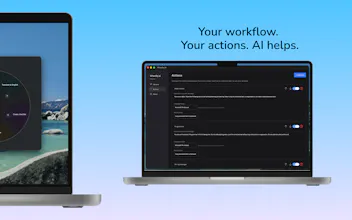
Wheelly puts AI directly into any app — Word, Slack, Notion, VS Code, your browser, anywhere you can select text. Press a hotkey, pick an action (fix grammar, translate, summarize, change tone, or build your own), done. The difference: it runs entirely on your device. No cloud calls, no accounts, no data logging. Your text never leaves your machine - and it works fully offline after setup. Free to start. Available now for Windows 11 and macOS.
Framer AI AgentsDesign and publish professional sites with AI
Promoted
Maker
📌
Hey! I built Wheelly because I was tired of two things: tab-switching to a chatbot every time I needed a quick rewrite, and sending my writing to someone else's server to do it.
Wheelly lives in the background. Select any text, hit your hotkey, and an AI action runs right there - grammar fixes/translation/summaries/tone changes or a custom action you describe yourself. It works inside Word, Outlook, Slack, Notion, VS Code, your browser - basically anywhere you can select text.
The part I care about most: it's edge AI, meaning the model runs locally on your machine. Nothing is sent to a server, nothing is logged, and it keeps working even offline. No account required to try it.
Would love your feedback, especially on which custom actions you'd want built in next. Happy to answer anything below!