
WebWizard Tools
Free image tools that never save your photos
10 followers
Free image tools that never save your photos
10 followers
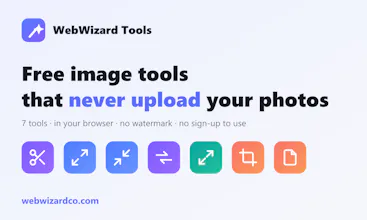
A free suite of image tools that run entirely in your browser — remove backgrounds, upscale with AI, compress, convert (incl. HEIC→JPG), resize, crop, and make PDFs. Your photos never get uploaded to a server, there's no watermark, and you don't need an account to start.


Free Options
Launch Team

Tines The single, secure environment for agents, apps, and automations.
Promoted
How does the AI upscaling hold up on really low-res photos like old thumbnails or pixelated screenshots, and is there a size or resolution cap on what it can process in the browser?
@bidavkubra60771 Hi Kübra — good question. On genuinely low-res photos (old thumbnails, small profile pics) it does well: the model reconstructs plausible detail rather than just smoothing, so edges come back sharp. Pixelated screenshots are the weak spot though — the model is trained on natural images, so text and UI elements can come out oddly. Worth trying, but manage expectations there.
No hard resolution cap — we don't impose one because nothing is uploaded. The real limit is your device's memory. It processes in small tiles to keep RAM low, so large images work but get slow; I'd start with 2× before trying 4×.
How does the AI upscaling actually perform on older phone photos, and is there any limit on file size or batch processing before things slow down in the browser?
@elaezher Hi Ela — older phone photos are actually the sweet spot. Anything from an early smartphone camera tends to respond well, since there's real (if soft) detail for the model to work from. One caveat: it sharpens whatever's there, so heavy JPEG artifacts or motion blur get sharpened too — a clean small photo beats a big blurry one.
No file-size limit from us since it all runs locally; your device's RAM is the ceiling. Bulk mode processes images one at a time deliberately, to avoid blowing up memory — slower, but it won't crash the tab. On a phone, 2× on a few images is comfortable; 4× on large batches is desktop territory.
How well does the AI upscaling handle really low-res images like old family photos, and is there any file size limit for the uploads since everything runs in the browser?
@orhanqpft Hi Orhan — old family photos are one of the best use cases. Scans and early digital photos come out noticeably sharper because the AI reconstructs detail instead of stretching pixels. Honest caveat: it's reconstruction, not recovery — it produces plausible detail, which is perfect for restoring and printing, but it isn't a factual record of what was there.
No upload limit, because there's no upload — the model runs in your browser. Practical limit is your device's memory; very large images just take longer. Tip: if the original is a WhatsApp copy, find the original file first — messaging apps recompress heavily and the upscaler will sharpen those artifacts.
Background removal was surprisingly clean on a tricky group photo, no upload lag either. Love that nothing leaves my browser.
@yaarrh38 Thanks Yaşar — group photos are a genuinely tough case, so glad it held up. That's exactly why we went the on-device route: no upload queue, no waiting, and nothing to trust us with. Appreciate you giving it a go 🙏