Launching today

Wayfare
Productivity, Developer Tools, User Experience, SaaS
2 followers
Productivity, Developer Tools, User Experience, SaaS
2 followers
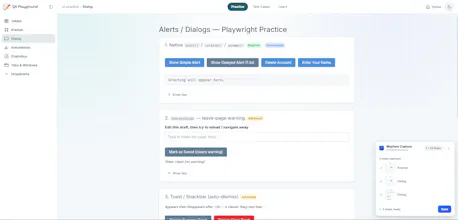
Wayfare combines the best of both worlds—a lightweight "Confluence mini + Scribe" built for clarity and speed. Key Features: Instant Step Capture (Scribe-like): Auto-records your browser clicks into clean visual guides—no manual screenshots needed. Minimalist Wiki Space (Confluence-mini): Keep all your SOPs, onboarding docs, and workflows neatly organized in a clutter-free hub. Lightweight & Free: Zero bloat, fast setup, and currently in open Free Demo with no paywall




I am Hoang, the solo builder behind Wayfare.
I built Wayfare because I was genuinely frustrated with two things:
Confluence is way too complex and frustrating for a non-tech person like me. Manually taking 20 screenshots and formatting them inside a bloated wiki felt like a nightmare.
Tools like Scribe charge $15 to $28 per month per seat just for team members to view documentation. Paying for passive readers never made sense to me.
So I spent the last few months creating Wayfare. It automatically turns your browser clicks into visual step-by-step guides and organizes them in a minimal wiki workspace. Most importantly, viewers are 100 percent free.
Where Wayfare is heading: Most documentation tools fail because static docs just sit there collecting dust while employees still skip steps and make mistakes.
We are working on Active Workflow Validation. Instead of just showing a guide, Wayfare will watch as team members perform a workflow in real time, detect if they skipped or messed up a step, and instantly ping them with a visual reminder.
We are live in Open Free Beta today (free for up to 5 editors and 50 viewers).
I would love to hear your raw feedback, feature requests, or bug reports. Try it out at usewayfare.co and let me know what you think!