
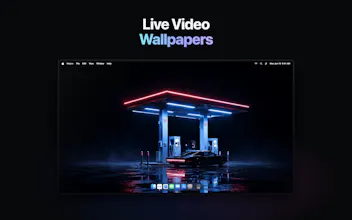
Most Mac wallpaper apps hand you a gallery to browse. Walyro is built around your own footage instead. Drop in an MP4 or MOV clip and it plays as your desktop background, up to 4K, with a different one on each display. Preview a clip on a screen before you apply it, group clips into playlists that rotate on their own, and control everything from the menu bar or the Now Playing sidebar. It's native Swift and SwiftUI, so it stays light.




Hi everyone,
I'm Alex, the maker. I built Walyro because I wanted my own videos playing on my desktop without uploading them to a cloud or making another account.
The app people always point to for this, Wallpaper Engine, doesn't run on Mac, and the Mac options I tried were built around their own galleries.
So Walyro starts from the opposite place: you point it at your own MP4 or MOV clips and they play as live wallpapers, up to 4K, with a different one on each display. Playlists rotate on their own, and you control it from the menu bar. The whole library stays on your Mac.
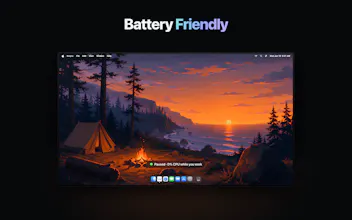
It's native Swift and SwiftUI, so it stays light. Playback pauses when you go fullscreen and eases off on battery, which was the part I cared most about getting right on a laptop.
I'd love your feedback, especially on what clips you end up using and how it runs on your setup. I'll be around all day to answer questions.
Alex
So far the best wallpaper tool for Mac I have ever used! Congratulations with launch 🚀
@nolikzero Thanks Nurlan, glad you're enjoying it!