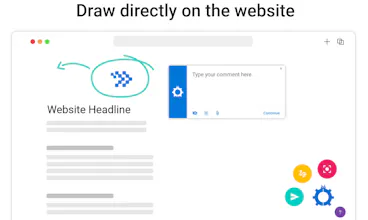
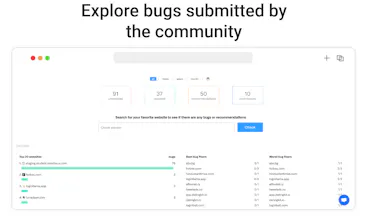
Developer-client communication made easy. No more screenshots, messy email threads and out of context feedback. Visual Debug streamlines the web design feedback and improves the collaboration between devs and clients.
I recently started using Visual Debug as a freelancer. It is an incredible visual feedback and collaboration tool that streamlines the web design review process. It's been a game-changer for me and my clients, allowing us to be much more efficient.
This product is truly impressive, but there's a slight room for improvements when it comes to the UX/UI. With a touch of added intuitiveness, Visual Debug would be even more user-friendly and delightful to work with.
Report
Visual Debug has proven to be an incredibly user-friendly tool that easily integrates into our existing workflow. It's evident that the team behind it is truly committed to refining and enhancing the product.
Even in its early stages, Visual Debug has already shown itself to be a remarkable product, though there is ample opportunity for further development. Here's a quick rundown of its pros and cons:
Pros:
The team behind Visual Debug is highly responsive, promptly addressing emerging issues and even incorporating new features on the fly.
The platform excels in client "education," streamlining the onboarding process by effectively guiding clients on how to report bugs and provide feedback. While there's room for improvement, it currently fulfils this role quite well.
Cons:
Currently, there is no integration with Teams
Report
Maker
@new_user_247bacb37a Thank you for the extensive comment! To address the con you mentioned - Teams integration is on the roadmap and should be available in the coming months.
Report
This product is truly impressive, but there's a slight room for improvements when it comes to the UX/UI. With a touch of added intuitiveness, Visual Debug would be even more user-friendly and delightful to work with.
Report
Maker
@kristiyana_georgieva Happy to hop on a call with you if you have something in mind!
Report
I've been using Visual Feedback, and I must say it's an amazing app for providing website-specific feedback in a user-friendly way. It ticks all the boxes for me without causing any hassle. As a freelancer, I'm truly grateful that it's free, as it's perfect for individuals and small teams. It caters to all my needs.
The one thought that crosses my mind, though, is how sustainable this business model might be, considering it's free.
Report
Maker
@lilyy Happy to hear that it makes a difference for you! We haven't reinvented the wheel with our business model. In essence it is similar to products like Notion, free for individuals and paid for larger teams and organisations.
Report
As a freelance developer, I can't express enough how much of a lifesaver Visual Debug has been! I really hope it stays free for freelancers. It's been incredibly helpful in getting feedback from clients at the end of projects, saving me time and hassle.
Report
Maker
@christypreston Happy to hear that it makes a difference for you! Yes, we plan to keep it free for freelancers for sure :)
Report
🙌 Bravo! 💥 This is fantastic news! 🐦 Let's tweet each other on Twitter!