VideoFast

Super Easy to Use Online Video Editor

458 followers

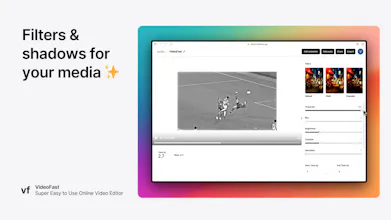
VideoFast is the easiest way to create and edit high-quality videos. It works by allowing you to choose from a list of beautifully crafted text, media, and shape animations and customizing them into how you want your video to be.
VideoFast gallery image
Free Options
Launch Team / Built With
Vy - Cross platform AI agent
AI agent that uses your computer, cross platform, no APIs
Promoted

What do you think? …

jason
I have just started using video editing and the experience is very good, but I still need to continue exploring. Thanks to the convenience brought by the tool, I can use the tool to quickly edit a short video when I first start using it, which gives me good confidence to continue my research.
Jason Chan
Awesome tool with huge potential to revolutionise video editing! Keep it up Rexan!
Rexan Wong
@techjason thanks brother!
Andreas Sohns
I love the concept of VideoFast! Its exactly what beginners and busy creators need. The easy of use and the premade animations make creating high-quality videos so much more approachable.
Rexan Wong
@andreas_sohns yes, glad you liked it!
Audrey Jake
It looks amazing, team! How customizable are the premade animations? Can we adjust things like timing, colors, and transitions?
Rexan Wong
@audrey_jake1 thanks! yes you can customise it 100%
Davis Nunez
Congrats on the launch! Very impressive for your age. I'm now getting into video editing and this tool might be a good one to give a shot to! My only pushback with online video tools is that sometimes the videos could be heavy (multiple files of 2,3 or 6gb) which could take longer than ideal for uploading. Are you planning on also creating an OS version? Or how would you go around that challenge?
Rexan Wong
@davisnz thank you! That's a good question, I haven't thought of the best answer for it. I'll think about it and update you! Let me know if you have any more feedback while using the product
Germán Merlo
Wow Rexan! Not only did this tool blow my mind, but also knowing that you are a creator who is only 16 years old. I can't believe it and I'm so happy to see guys like you surpassing the standards. I wish you all the best on this incredible journey! Just let me know if you feel I can help you on something!
Rexan Wong
@german_merlo1 thank you for your kind words!
Tony Han
Honestly, this is prettying damn genius! If you just need to something simple - this tool has all the basic stuff you need. This is as easy to use as PowerPoint, and that's amazing. Also, big props for building tools and ideas like these @rexanwong - you are gonna kill it if you are shipping products like these when you're 16, big W. A observations/suggestions: - the landing page gif is kind of choppy for me (and honestly didn't load as fast) - the images that go along with each feature are stretched - when you first created an account, the page looks kind of empty, maybe move people into the "Create new video" flow right away - the share feature is kind of cool, the player is a bit too big. If you shrink it, I think the exp will be better AND you can add "Created by VideoFast.gg" at the bottom! - with the pricing tier, I think if you limit users from using their own media, they can't fully exp the power. Maybe considering a trial vs freemium?
Rexan Wong
@tonyhanded thanks tony! will work on these updates. appreciate the feedback given By the way you can manually adjust the size of the player. There is a toggle on the line in the middle of the player and the accordions for editing.
Tony Han
@rexanwong gotcha