
Vible
On-device AI voice agent: dictate, translate & talk on Mac
10 followers
On-device AI voice agent: dictate, translate & talk on Mac
10 followers
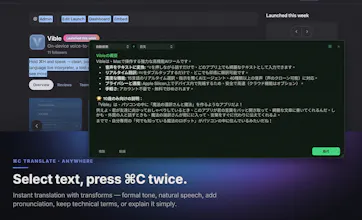
Hold ⌃⌘ and speak — clean, polished text lands in any app. Double-tap ⌘C to translate anywhere. Vible adds a 15-language live interpreter, a tool-using AI voice agent that speaks back, 40+ voices with cloning, and an OpenAI-compatible /v1 endpoint. Runs fully on-device on Apple Silicon (Ollama / LM Studio / oMLX), cloud is opt-in per feature. Free to start, no account needed.



Free
Launch Team / Built With


TinyFishSearch, fetch and browse for AI agents. Claim 30% bonus!
Promoted
I wanted dictation that speedily make my voice into text, so I built Vible: hold ⌃⌘ and speak, release, and clean text lands in whatever app you're in — the polish model can run fully local (Ollama / LM Studio / oMLX). It also does ⌘C-to-translate anywhere, a 15-language live interpreter, a tool-using agent that can speak replies, and voice cloning, plus an OpenAI-compatible /v1 endpoint. Free to start, no account needed for the on-device path. Happy to answer anything about the local-model setup or the privacy model.
How well does the on-device transcription handle noisy environments like a coffee shop or while wearing a mask? Curious if the accuracy drops enough that I'd need to fall back to cloud mode.
@evval527527 Great question! Right now the local on-device model is still a bit raw — it can struggle a little in noisy environments like a coffee shop or with a mask muffling speech. That's exactly why we built Cloud Mode as a fallback: it's much faster and noticeably more accurate in those tougher conditions. We're actively improving the local model's robustness too, so expect that gap to shrink over time!
How well does the voice cloning actually hold up with different accents or background noise in real use?
@ceydakavak8uf8 It handles accents perfectly, but you must record in a quiet room—otherwise, the AI might mistake background noise for part of your voice! It only takes a 5-10 second sample, and the system will score the clone's quality up to 100. It also provides a text transcript of your audio; you can edit any misheard words to help the AI align everything perfectly.
The double-tap translate trick is genuinely useful, it just works in any text field without breaking my flow. The on-device setup with my local Ollama models makes it feel way snappier than expected.