TroveKey is a local-first command center for Chrome. Search tabs, bookmarks, history and saved posts, run browser actions, and organize what you save—all from the keyboard, with no account or cloud sync.
No reviews yetBe the first to leave a review for TroveKey
Maker
📌
Hey Product Hunt — I built TroveKey after getting tired of the tiny interruptions that pile up in Chrome: finding the right tab, digging through bookmarks, reopening something from history, or losing a useful post I meant to revisit.
TroveKey turns those jobs into one keyboard-first command center. Press Cmd/Ctrl+Shift+K to search tabs, bookmarks, history, saved content and browser actions from the same place. You can also save pages and posts from X, Reddit, YouTube, Instagram, TikTok, LinkedIn and the open web into a searchable local library.
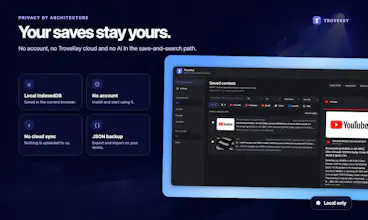
One principle I did not want to compromise on: saved content stays in your browser. There is no account, no TroveKey cloud, and no AI in the save-and-search path. You can export or import a versioned JSON backup whenever you want.
This is the first public release, and I would especially value feedback on:
- Which browser action do you reach for most?
- What should feel faster or require fewer keystrokes?
- Which saved-content workflow should I improve next?
Thanks for taking TroveKey for a spin. I will be here throughout launch day to answer questions and learn from your feedback.