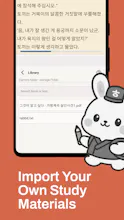
No need to juggle multiple apps. Everything you need to learn Korean is right here. Tokki Korean brings together the essential tools for learning the Korean language in a single app. No account required, works offline, and respects your privacy. Build your vocabulary, study grammar, practice with flashcards, look up words in the dictionary, take TOPIK-style tests, read books, and watch YouTube videos with interactive subtitles... Download Tokki Korean and start learning today.
No reviews yetBe the first to leave a review for Tokki Korean
Maker
π
π Hey Product Hunt community!
Iβm the solo-dev behind Tokki Korean.
As someone passionate about language learning, I noticed most Korean learning apps fell into two traps: they require a constant internet connection, or they lock your hard-earned progress data inside a proprietary cloud ecosystem.
I built Tokki Korean to change that. It is an offline-first, private, and highly integrated toolset designed to take you from a complete beginner learning Hangul to an advanced student acing the TOPIK exam.
Here is what makes Tokki Korean different:
β’ Smart Integrated Dictionary: Look up particles, analyze complex grammar, and instantly save words straight from context.
β’ Multiple flashcard modes including True Spaced Repetition (SRS), Multiple Choice, Pronunciation checks, and Cloze tests to defeat the forgetting curve.
β’ Real TOPIK Prep: Access and simulate past official exams locally under realistic test conditions.
β’ Gamified Reinforcement: Keep your brain active with games like Word Search and traditional Word Chain (λλ§μκΈ°).
β’ 100% Privacy & Portability: No mandatory cloud tracking. Everything sits securely on your device, with optional, automated backups to your personal Google Drive. Your data is entirely yours to import or export.
Tokki Korean is officially fully live on the Google Play Store now!
https://play.google.com/store/ap...
I would love to hear your thoughts, feedback, and feature requests. What language tools are missing from your current study routine?
I'll be hanging out in the comments all day to answer your questions! π
Report
How do the interactive YouTube subtitles actually work, do I need to paste in my own video links or is there a built-in library to browse?
Report
Maker
@sedefgzsaΒ There are two ways, you can paste your own links or add them from the content hub ( It has some recommended youtube channels that have good content with korean subtitles) Then there is also two ways of use them, together with the video (This allows to look up for words inside the video so you can listen to the pronunciation) or just download them as a txt file and opening them with the reader as an ebook.
Report
how does the flashcard system actually decide when to show me a word again? curious if it's spaced repetition or something more basic
Report
Maker
@buket132161For now the spaced repetition system is enabled for the 'Anki style' flashcards, other options like pronunciation, multiple choice etc still have a linear 'list order' system. I keep doing experiments too see what is best for retention so I will be implementing more options soon.
Report
love that it works offline and skips the sign-up step, super smooth for quick vocab practice on the train
Report
Maker
@sarganyunu73371Β Thanks! Glad to hear that. One of my goals with Tokki Korean was to make it 'commute-friendly'. Living in Korea I realized how many people use their subway rides to study, so I wanted to build something with instant access and as little friction as possible for those moments.
How do the interactive YouTube subtitles actually work, do I need to paste in my own video links or is there a built-in library to browse?
@sedefgzsaΒ There are two ways, you can paste your own links or add them from the content hub ( It has some recommended youtube channels that have good content with korean subtitles) Then there is also two ways of use them, together with the video (This allows to look up for words inside the video so you can listen to the pronunciation) or just download them as a txt file and opening them with the reader as an ebook.
how does the flashcard system actually decide when to show me a word again? curious if it's spaced repetition or something more basic
@buket132161For now the spaced repetition system is enabled for the 'Anki style' flashcards, other options like pronunciation, multiple choice etc still have a linear 'list order' system. I keep doing experiments too see what is best for retention so I will be implementing more options soon.
love that it works offline and skips the sign-up step, super smooth for quick vocab practice on the train
@sarganyunu73371Β Thanks! Glad to hear that. One of my goals with Tokki Korean was to make it 'commute-friendly'. Living in Korea I realized how many people use their subway rides to study, so I wanted to build something with instant access and as little friction as possible for those moments.