
Tether
A ball for boring meetings to keep you busy
344 followers
A ball for boring meetings to keep you busy
344 followers
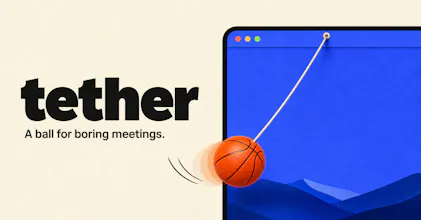
A ball hangs from your Mac menu bar on an elastic tether. Drag it, fling it, slingshot it. It bounces off your actual app windows, rolls along their edges and settles into the Dock. Cut the rope and it goes loose across the desktop. Real physics, not a canned animation, so it never does the same thing twice. One key hides it the instant somebody says your name. No account, no subscription, nothing leaves your Mac.


Yes! Clearly I'm going with the basketball. Congrats on a really fun launch!
@jacob_swiss Correct answer. The other six exist mainly to make the basketball feel chosen. :D
love this so much!
@damjanski Thanks! Super fun making it, too.
this is such a dumb-fun idea and I mean that as a compliment. curious how it behaves with multiple monitors - if I fling the ball off the edge of one display does it actually cross onto the other, or does each screen have its own independent ball? also wondering if the physics loop is noticeable on battery at all when it's just sitting idle in the corner.
@galdayan Thank you! :) One ball, one canvas. The window spans the union of every display, so the ball
crosses between monitors and keeps its momentum. It only bounces at the outer edges of that combined area, and window top edges count as ledges on all screens.
On battery: when it comes to rest the display link is paused outright, so the physics loop stops rather than idling. Nothing runs until you touch it or a window moves underneath it. The only thing still ticking while it is on screen
is a 20Hz check for window geometry, and that runs off the main thread. Option-F hides it and even that stops.
The panic key is the real product. Everything else is physics. Shipping the hide shortcut before anyone asked for it is the tell that you built this during a meeting you were supposed to be in.
@rabnoor_s Caught. It was the second thing I built, right after the ball fell out of the
menu bar and I realised what I had done. :D