
Terminay
Open-source terminal workspace for projects and AI agents
2 followers
Open-source terminal workspace for projects and AI agents
2 followers
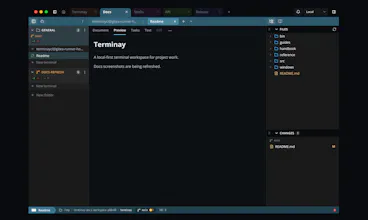
Terminay keeps the shells, files and agents for each project together in one desktop app, with split layouts and coloured project tabs. Its MCP server lets Claude Code, Codex and other agent CLIs read terminal output, open splits and run commands, with permissions you set. Pair a browser or another machine for remote access. It also has cron and event automations, macros, terminal recordings and a file browser with Git diffs. Free and open source (AGPL-3.0), for macOS and Linux.



Free
Launch Team

Customer.ioAutomate Messaging Everywhere — Startups Get 12 Months Free
Promoted
Hi Product Hunt, I'm Mark and I built Terminay.
I kept ending up with a terminal window per project, a separate file browser, and AI agents running in tabs I'd lost track of. Terminay puts each project's shells, files and agents in one workspace, so I can see what every agent is doing and which one needs me.
A few things that might be useful to you:
The built-in MCP server lets Claude Code, Codex and other agent CLIs open splits, read output from other terminals and run commands, within permissions you set.
Remote access lets you pair a browser or another machine, so you can check on long-running work away from your desk.
Automations run commands on a cron schedule or when an agent finishes.
It's free and open source (AGPL-3.0). It runs on macOS (Apple Silicon) and Linux. There's no Windows build yet.
I'd like to hear what breaks or feels awkward, especially if you run several agents at once. Bug reports on GitHub Issues help a lot.
Keeping each project's shells, files, and agents in one workspace is exactly where I lose track today. When several agents are running at once, how do the permissions work in practice — can one agent read another agent's terminal output but not run commands in it, and how do you surface which agent actually needs attention?