Launching today

Telepet
Your desktop cat for quick Telegram replies on Mac
1 follower
Your desktop cat for quick Telegram replies on Mac
1 follower
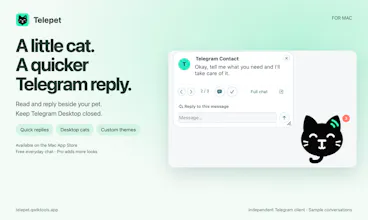
Telepet turns Telegram into a desktop cat companion for Mac. Reply from a compact card, open full chat when needed, and personalize your sidebar and conversation area with themes. Built with the Telegram API; chats connect directly to Telegram. Free everyday chat. Available on the Mac App Store.


Free Options
Launch Team

Framer AI AgentsDesign and publish professional sites with AI
Promoted
Hi Product Hunt! 👋
We built Telepet because answering a Telegram message shouldn't pull you away from everything else you're doing.
Telepet is an independent Telegram client for Mac with a little black cat on your desktop. When a message arrives, click your pet, reply from a compact card, and get back to your day. Telegram Desktop can stay closed: Telepet uses its own Telegram session.
What you can do:
• Reply quickly, move through unread messages, and keep pending replies and drafts when you close the card.
• Open full chat for history, search, photos, voice messages, replies, reactions, editing and forwarding.
• Personalize the chat sidebar and main conversation area with themes.
• Choose Miso or Misa for free, or explore Pro outfits and rides. Your cat reacts to messages, typing, voice and files.
• Hide message previews and adjust your pet's size and position.
• View, crop and annotate photos, or translate text through Telegram where supported.
How it runs:
Download and launch Telepet. On your phone, open Telegram → Settings → Devices → Link Desktop Device, then scan Telepet's QR code. Enter your two-step verification password if requested, choose your cat, and start replying.
Privacy:
Your Mac connects directly to Telegram through the Telegram API. Chat content is not relayed through Telepet servers, and your Telegram session is stored encrypted on your Mac. Optional image-link sharing uploads only the image you explicitly choose to share. Telepet is independently developed and is not an official Telegram app.
Everyday chat and the two original cats are free. Pro adds more pets and themes. You can download Telepet from the Mac App Store; the website also offers a direct download. The current direct-download version requires Apple Silicon and macOS 26 or later. Calls, secret chats and unsupported sticker formats continue in the official Telegram app.
Try it: https://telepet.qwiktools.app/
Setup guide: https://telepet.qwiktools.app/ho...
What would make a desktop Telegram companion more useful for you? We'd love your feedback.