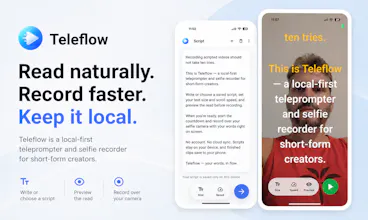
Teleflow is a local-first teleprompter and selfie recorder for TikTok, Reels, Shorts, and talking-head videos. Write or choose a saved script, set text size and speed, preview the read without recording, then start a countdown and record over your selfie camera. No account, no backend, no cloud sync — scripts and settings stay on your device, and finished clips save to your gallery.
No reviews yetBe the first to leave a review for Teleflow
Maker
📌
Hey Product Hunt! 👋
I'm Felipe, an indie developer, and I built Teleflow because I make a lot of demo videos for the apps I build.
I was always running into the same problem: I'd forget what I wanted to say, keep looking away at my notes, or end up using teleprompter apps that felt more complicated than they needed to be.
So I built one that stays out of the way.
With Teleflow, you can write or save a script, adjust the text size and speed, preview it, and record over your selfie camera. Everything stays on your device—there's no account, no cloud sync, and no backend.
The goal wasn't to build another all-in-one video editor. There are already plenty of great apps for that. I just wanted something fast, lightweight, and private that helps you get through the take with fewer retakes.
I'd really love your feedback.
Is the app easy to understand?
Does the workflow feel fast enough?
What's the one feature you'd want me to add next?
Thanks for checking out Teleflow! I really appreciate any feedback or suggestions. 🙌
— Felipe
Report
Does the teleprompter scroll smoothly even with longer scripts, or do you have to chunk them into separate takes to avoid drift?
Report
Maker
@sevilmoolkghgs Good question. It should scroll smoothly, especially since it runs entirely on your device with no service connections. But to be honest, I've only used it for short videos, so I haven't really tried with long scripts. Just curious, how long are you talking about?
Report
Local-first is a big plus for me, and being able to preview the scroll speed before hitting record actually saves a lot of retakes. Wish the text size could go a touch larger for older eyes, but overall it nails the simple workflow.
Report
local-first is a nice touch and the no-account setup took like ten seconds. really handy being able to preview the scroll speed before i hit record.
Report
Maker
@bayraktuta26773 Thanks! The only downside that I debated is that you kind of lose your saved scripts if you delete/reinstall the app. But in my case, I usually have it saved somewhere else... so.
Report
Love that the preview-before-record step is built right in, it makes dialing in pacing feel way less stressful before the camera actually rolls.
Does the teleprompter scroll smoothly even with longer scripts, or do you have to chunk them into separate takes to avoid drift?
@sevilmoolkghgs Good question. It should scroll smoothly, especially since it runs entirely on your device with no service connections. But to be honest, I've only used it for short videos, so I haven't really tried with long scripts. Just curious, how long are you talking about?
Local-first is a big plus for me, and being able to preview the scroll speed before hitting record actually saves a lot of retakes. Wish the text size could go a touch larger for older eyes, but overall it nails the simple workflow.
local-first is a nice touch and the no-account setup took like ten seconds. really handy being able to preview the scroll speed before i hit record.
@bayraktuta26773 Thanks! The only downside that I debated is that you kind of lose your saved scripts if you delete/reinstall the app. But in my case, I usually have it saved somewhere else... so.
Love that the preview-before-record step is built right in, it makes dialing in pacing feel way less stressful before the camera actually rolls.
@rmeysairmalx6a Thanks!