TalkTastic

TalkTastic

Voice Keyboard that Understands Your Personal Context

4.9
26 reviews

1.2K followers

TalkTastic is a context-aware voice keyboard for  macOS that works across all your apps. Write emails, compose text messages and draft documents with your voice. Faster and more accurate than ChatGPT, Google and OpenAI Whisper.
This is the 2nd launch from TalkTastic. View more
TalkTastic for macOS

TalkTastic for macOS

Context-aware voice keyboard for any app
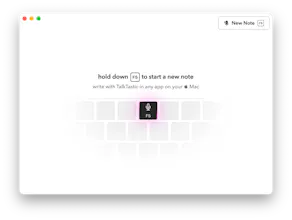
Meet TalkTastic—a context-aware AI voice keyboard for macOS. Dictate speech with unprecedented accuracy in any app and get refined rewrites based on your screen context. Clear, impactful, and authentic communication in any app. Start talking. Stop typing.
TalkTastic for macOS gallery image
Free
Launch Team / Built With
Vy - Cross platform AI agent
AI agent that uses your computer, cross platform, no APIs
Promoted

What do you think? …

Chris Messina
Talktastic is exactly that — a fantastic app that makes it easy to naturally dictate to your Mac but goes above and beyond conventional dictation by interpolating your meaning based on the context of the app you're using or the people you're talking to! That is, say you're writing an email to your investors in Superhuman — you'll want to sound one way (professional, upbeat, optimistic) whereas if you're hanging out in Github comments and making an argument for a feature change, you'll want to sound balanced, rigorous, and also not like a jerk. Talktastic adjusts the content it generates based on whatever you dictate, but goes one step beyond anything else that's out there. You've got to try it to understand!
Max Savonin
@chrismessina This sounds like a very interesting concept, Talktastic! The ability to contextually adjust dictated text based on the application or recipient is innovative. I have a couple of questions: - Can users define their own preferred writing styles for specific contexts, or does Talktastic rely solely on pre-programmed settings? - How does Talktastic ensure the accuracy of the rewritten text while maintaining user control over the final content? As a developer, I'm curious about the technical aspects behind the contextual adjustments. If those align with my expertise (e.g., natural language processing, machine learning), I might be able to contribute to future development. Overall, Talktastic seems like a powerful tool for improving dictation workflows. I'd love to learn more about how it can help streamline communication!
Matt Mireles
@chrismessina @max_savonin1 TalkTastic is responsive to your context in a way that other applications aren't. For example, we built OASIS AI, and you'd have to choose different writing styles and apply these filters. But it was kind of the same for everybody. With TalkTastic, there's no static writing style. It's not just some predefined styles. It's completely contextual to you and your environment and what you're trying to do. We really try to keep your authentic voice and then use the AI to fit it in the context, if that makes sense. I recommend you take it for a spin and let me know what you think. I'd love to hear your feedback.
Stephanie Boyle
@chrismessina @max_savonin1 Hi Max, to answer your questions, 1. We don't yet have the ability to adjust the dials on the context as of yet, but it's definitely on the roadmap. However, the good news is that with our context snapshot set to on, TalkTastic can understand your general writing style within the environment in which you are communicating. 2. Our speech recognition is best-in-class in terms of performance and accuracy. The core of our beta testing hypotheses are around this very question: how to make the context feature meet the needs of users wherever they are speaking? To that end, we offer a few versions of rewrites plus a direct transcription within the current product. Users can select which version to use, adding some signal. Ultimately we envision some more proactive controls for users. I can connect you with the team who can talk more about the technical aspects and future points of collaboration if you contact me here: stephanie@talkastic.com.
Matt Mireles
Hey Product Hunters! 👋 Do you think and talk faster than you type? 🧠 ⚡️ 🗣️✨ Meet TalkTastic, a context-aware AI voice keyboard that seamlessly integrates with all your favorite macOS apps. Simply press a button and start talking. TalkTastic not only transcribes your speech with unprecedented accuracy but also generates refined rewrites based on your screen’s context. 👉 Crazy Accurate Transcription – More accurate than ChatGPT, OpenAI Whisper & Apple. 👉 Contextual Rewriting – Clarifies and formats your thoughts to fit your specific context. 👉 Seamless integration with  macOS – Auto-pastes the text output to the app you're using. 🤩 TalkTastic is like an Instagram filter for your mind, enhancing your communication across all your apps to ensure your messages are clear, impactful, and authentic. Sound like the best version of you, not a robot. Think of it as a Neuralink connection without the wires. OASIS AI was our proof of concept; TalkTastic is the next iteration, designed for daily use. 💬 Whether you’re writing emails, texting, messaging in Slack, or drafting a document, TalkTastic offers faster and more accurate voice-to-text performance than ChatGPT, Google, and OpenAI Whisper. Just press a button and speak in any app on your computer. 🧪 In the future, we plan to publish a scientific research paper on our breakthrough in speech recognition that quantifies the superhuman accuracy of our patent-pending approach. 🙏 I’m @mattmireles, and I’m thrilled to introduce you to TalkTastic, the best product I’ve ever built. The fantastic future is here. You just need to download it: https://talktastic.com
@mattmireles Kudos to you for this launch! Wishing you and your team a fantastic journey ahead. What’s next on the horizon for your team?
Matt Mireles
@kjosephabraham Thanks, Joseph! We have a lot on the roadmap. In the near term, we're adding features like history, custom shortcuts, and an even cleaner interface. Medium term, we're looking at introducing a Chrome extension and business tier with end-to-end encryption. Exciting times ahead!
Stefans Keiss
This looks really useful! Does it support multiple languages or just English for now?
Matt Mireles
@memphys_sk Thanks for your comment! TalkTastic is primarily designed for English. However, we've discovered that the AI does contextual auto-translation. It translates any spoken languages into English or other target language, based on your context. It's not fully reliable yet, and frankly, I'm stunned that it works at all. Feel free to give it a try and let me know how it works for you. I'm very curious to hear about your experience!
Artem Konovalov 💎
First, I thought you had simply reinvented the Dictation mode or Siri on macOS. However, after trying it, I found it to be much better than everything I've used before. Also, the built-in dictation doesn't work everywhere (like in this comment field haha) Good luck! 🎉
Matt Mireles
@mattisssa I'm glad you like it. I think it's a common experience. I really appreciate the support!
Lars Vagnes
I use Talktastic every day, and it has truly transformed how I handle my tasks. It makes answering backed-up emails, doing outreach on LinkedIn or X, and responding to messages so much easier and faster. I can power through these tasks at least ten times quicker. I also find it incredibly useful for brainstorming ideas. I just start talking, and the transcripts appear in my Apple Notes. It's a massive time saver. I love this product!
Matt Mireles
@lars_vagnes Thanks man. Appreciate you! You've been with us since the early beta days, and I truly appreciate all your feedback and support in making the product better.
Tom Etminan
TalkTastic is a really magical product. I use it daily on my Mac & miss it when I'm on my iPhone. The ability to just speak, knowing you'll be understood perfectly, is really freeing. I've always hated responding to emails and messages, my bar for clarity is high & it takes me forever to edit and perfect a response. But with TalkTastic, it often nails not just the key points, but also the contextually appropriate tone, style & formatting. I find it allows me to focus on the ideas I'm conveying, instead of how I'm saying or writing them, which is really powerful. The product experience also is exceptional—fast, stable, beautifully designed, and seamlessly integrated with the OS.
Matt Mireles
@tetmin Tom, I appreciate your support. Your feedback from the very beginning has been super useful. Thank you so much for being a part of this.
Elaine Lu
Congratulations on the launch of TalkTastic for macOS! @mattmireles This context-aware voice keyboard sounds like a fantastic tool for enhancing productivity. I am curious to know how TalkTastic handles different accents and dialects in its voice recognition? Can you completely mimic our authentic style?
Matt Mireles
@elaineluyi Elaine, thanks! TalkTastic handles accents and dialects surprisingly well. I invite you to try it out. By incorporating context, the AI becomes much more accurate, making issues with accents and dialects less relevant. Regarding authenticity, that's what we aim for. We aim to make it sound like you.
123
•••
Next
Last