Launching today

syncSCP
WinSCP-style SFTP/S3 file manager & SSH terminal for Mac
2 followers
WinSCP-style SFTP/S3 file manager & SSH terminal for Mac
2 followers
Native macOS file manager and SSH terminal for SFTP, SCP, FTP/FTPS, WebDAV and S3 — WinSCP's two-pane Commander workflow on the Mac



Free
Launch Team

Render: Get up to $100K in startup creditsThe fastest way to launch and scale your startup in the cloud
Promoted
Hi Product Hunt! 👋
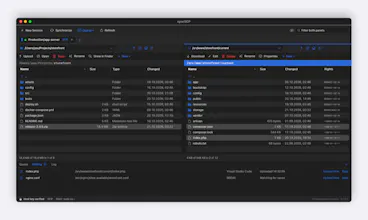
After moving from Windows to the Mac, the tool I missed most was WinSCP. So I built syncSCP: a native macOS file manager and SSH terminal with WinSCP's two-pane Commander workflow. It's free and open source (GPL-3.0).
What it does:
• SFTP, SCP (also through sudo su -), FTP/FTPS, WebDAV and S3
• Session tabs, directory tree, Compare Directories, Find Files, bookmarks, Quick Look, ⌘K Quick Open
• Background transfers with automatic retry; SFTP resumes partial files
• Two-way sync and Keep Remote Directory up to Date
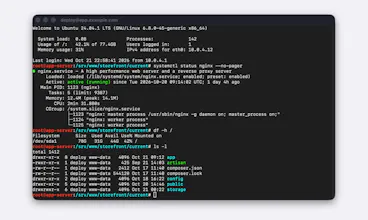
• Built-in SSH terminal with tabs, split panes, snippets and port forwarding
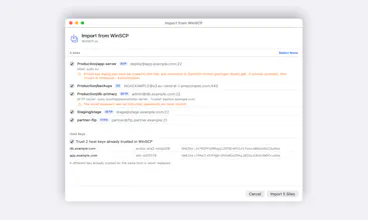
• Imports sites and keys from Windows WinSCP (even under Wine/Whisky) and ~/.ssh/config
• Optional saved passwords in the Keychain with Touch ID
• syncscp CLI for scripts
Signed and notarized, Apple Silicon + Intel, macOS 13+. Install with: brew install --cask oguzhankrcb/tap/syncscp
It's still a development preview, so I'd love your feedback and bug reports!