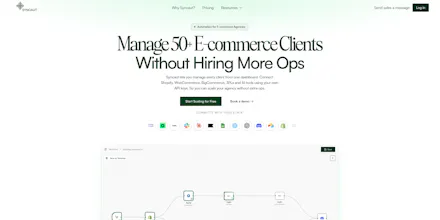
Most automation tools weren't built for agencies. You get one flat account, no client separation, and you're rebuilding the same workflows from scratch every time a new client comes in. Syncaut fixes that. Every client gets their own workspace. Build a workflow once, save it as a template, deploy it to every client in seconds. Flat pricing — unlimited workspaces, unlimited workflows. No per-task fees, no AI markup. Bring your own API keys.
Hey Product Hunt! Leonard here, founder of Syncaut.
Turns out if you talk to enough e-commerce agencies, they all complain about the same thing. New client, same workflows, built from scratch again. I got tired of hearing about it and just built the fix.
So that's what Syncaut is.
A few things I'm genuinely excited for you to try:
Workspaces — every client fully isolated, switchable in one click
Templates — build a workflow once, deploy it to every client in seconds
Flat pricing — unlimited workspaces, unlimited workflows, no per-task fees
BYOK — your API keys, your control, zero AI markup
If you run an e-commerce or Klaviyo agency, I'd love to hear what repetitive ops work is eating your team's time right now. That's literally what shapes our roadmap.
And if you have questions about how workspaces work, the template system, integrations, anything at all, I'm here all day. Ask away.
Leonard
@suyash_kr Hello Suyash, thanks for asking. You build a workflow, save it as a template, and deploy it to any client workspace in seconds. Each client gets it connected to their own credentials so nothing mixes.
Basically your best workflows become reusable. Build a Shopify to Klaviyo sync once, deploy it to every new client forever. Never rebuild from scratch again.
You can keep templates private, share them with your team, or publish them publicly for other users to find.
Report
How does inviting collaborators work in syncaut?
Report
Maker
@kumar_ritesh21 Inviting collaborators in Syncaut happens at the workspace level.
You simply invite someone (usually via email), and once they accept, they join that workspace with a defined role (e.g., member or admin). From there, they can access the same workflows, automations, and integrations based on their permissions.
@abhiranjan_mehta Workspaces in Syncaut are separate environments for teams or projects.
They keep everything organized and isolated—your workflows, data, integrations, and team members all live inside a workspace. This makes collaboration easy, prevents data mixing between users/clients, and sets the foundation for permissions, scaling, and billing.
@okosa_leonard How does the templating system work?
@suyash_kr Hello Suyash, thanks for asking. You build a workflow, save it as a template, and deploy it to any client workspace in seconds. Each client gets it connected to their own credentials so nothing mixes.
Basically your best workflows become reusable. Build a Shopify to Klaviyo sync once, deploy it to every new client forever. Never rebuild from scratch again.
You can keep templates private, share them with your team, or publish them publicly for other users to find.
How does inviting collaborators work in syncaut?
@kumar_ritesh21 Inviting collaborators in Syncaut happens at the workspace level.
You simply invite someone (usually via email), and once they accept, they join that workspace with a defined role (e.g., member or admin). From there, they can access the same workflows, automations, and integrations based on their permissions.
@okosa_leonard So what's the essence of workspaces?
@abhiranjan_mehta Workspaces in Syncaut are separate environments for teams or projects.
They keep everything organized and isolated—your workflows, data, integrations, and team members all live inside a workspace. This makes collaboration easy, prevents data mixing between users/clients, and sets the foundation for permissions, scaling, and billing.