
StockForge AI Pro
1 topic → AI images ready for Adobe Stock in minutes
6 followers
1 topic → AI images ready for Adobe Stock in minutes
6 followers
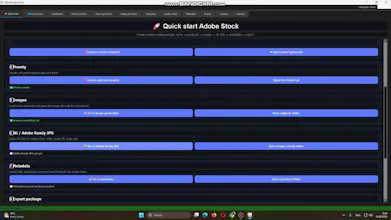
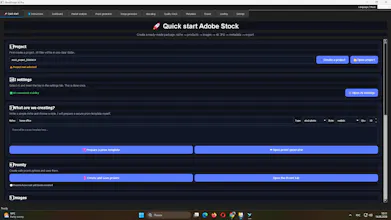
StockForge AI Pro automates Adobe Stock workflow: ✅ Generate prompts from one topic ✅ AI image generation ✅ Auto quality check ✅ Upscale images ✅ Metadata preparation ✅ Upload to Adobe Stock 1 topic → ready images in minutes. 🎬 https://youtu.be/ogvZ0aLB7RU 🔗 https://stockforgeai.store
Payment Required
Launch Team

CloudflareDeploy serverless functions globally in seconds
Promoted


Hey PH 👋 Maker here. StockForge AI Pro automates the Adobe Stock contributor workflow: prompt generation, image creation, quality checks, upscaling, metadata, and a semi-automatic upload step.
I kept the upload step semi-automatic on purpose — the rest of the pipeline removes the repetitive work, but the final review before submission stays in your hands. Same backend constraints as my other product: I'm in Ukraine, so distribution and payments run through a Telegram bot rather than a standard SaaS checkout.
If you've contributed to stock platforms before, I'd love to know where you personally lose the most time in that workflow — that's the part I'm most interested in getting feedback on
Why not fully automatic upload?
Mainly because stock platforms reject submissions for reasons that are hard to fully automate around — composition, relevance, technical quality flags. Keeping a manual review step before submission means less wasted effort dealing with rejections after the fact, rather than trying to make the upload itself 100% hands-off.
Quick update on StockForge AI Pro — appreciate everyone who took a look so far.
The question that came up the most wasn't about image generation, it was about the quality check step — a few people wanted to know exactly what it's catching before an image even gets to the upload stage. Fair point, that's probably the part of the pipeline I explained the least in the original post.
Also got asked a couple of times why upload isn't fully automatic. Short answer: stock platforms reject submissions for reasons that are hard to catch programmatically — composition, relevance, technical edge cases — so keeping a manual review before submission saves more time overall than chasing 100% hands-off upload would.
One thing I'm still genuinely unsure about: how much contributors actually care about batch size (10 images vs 100 at once) versus just wanting fewer rejections per batch. If you've contributed to Adobe Stock before, I'd love to know which one actually matters more in your workflow.
The metadata step generates titles, keywords, and descriptions automatically based on the image content, then runs a quality check pass before anything reaches the review stage. It's tuned for Adobe Stock's submission requirements specifically, not a generic metadata generator.