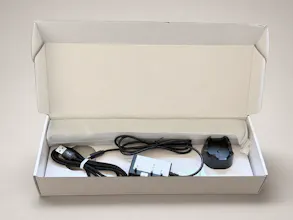
A USB desk light that mirrors your real presence — green when you're free, red when you're on a call. Watches Teams, Zoom, Slack AND Discord at once (the only commercial busy light that does). No buttons, no toggling. Free desktop app; hardware $39.99.
No reviews yetBe the first to leave a review for Status Notifier
Maker
📌
Hey Product Hunt! Solo founder here — first hardware product, first launch. 👋
The origin story is embarrassingly simple: in my cubicle days nobody could tell if the person in a headset was on a call or listening to music, and working from home made it worse — my family had no way to know when walking in was fine.
So I built a small USB light that reads your *real* presence from your meeting apps and changes color automatically. Green = free, red = on a call. Nothing to remember to toggle — it just mirrors reality.
The reason it exists as a product and not just my desk gadget: every commercial busy light I could find (Embrava, Luxafor, Kuando) supports Teams/Zoom/Slack — and every single one ignores Discord. I'm on Discord calls half my day. Status Notifier watches Teams, Zoom, Slack and Discord simultaneously and shows whichever is live. For Discord it detects server voice-channel calls today; DM call detection is in the next version.
Privacy note, because it matters: the app reads availability status via each platform's official OAuth — never messages, never audio, never call content.
Under the hood for the hardware crowd: ESP32-C3 driving 30 WS2812s via the RMT peripheral, native USB (no bridge chip), dumb-by-design firmware — all the logic lives in the desktop app so fixes ship without reflashing. I hand-assembled the first batch of 20 at my bench in San Jose. The full build war stories got a warm reception on r esp32 last week, which is half the reason I had the nerve to launch here.
The desktop app is free to start (Windows + macOS) — the core busy-light features are free forever; paid tiers add more for power users and teams. The light is $39.99.
I'll be here all day — ask me anything about the build, the Discord integration pain, or what shipping hardware solo actually looks like. 🚀
Report
The Slack integration is a really nice touch since most competitors ignore it. One thing that would make this a must-buy for me: a custom Do Not Disturb mode that I can trigger from my phone or a keyboard shortcut, so I can stay red even when no meeting is running but I really need to focus without Slack pinging me back to green.
Report
Maker
@sabriyehozm Thanks Sabriye! Good news on half of this: manual override already exists — you can force the light red (Do Not Disturb) from the desktop app regardless of meeting state, exactly for the “I need to focus” case. Also there is two push buttons that can be programmed by user to any color and just push them and it change the color. but to use them it’s better to sign out from the app because it will set status on led again. The global keyboard shortcut is a genuinely great idea and a small lift on the desktop side — adding it to the next app update. Phone trigger is further out since there’s no mobile app yet, but a hotkey gets you 90% of the way from the machine you’re focusing on anyway. What platform are you on — Windows or Mac?
The Slack integration is a really nice touch since most competitors ignore it. One thing that would make this a must-buy for me: a custom Do Not Disturb mode that I can trigger from my phone or a keyboard shortcut, so I can stay red even when no meeting is running but I really need to focus without Slack pinging me back to green.