
StackSpend
Real Time Cost Control for the Modern AI Stack
17 followers
Real Time Cost Control for the Modern AI Stack
17 followers
Cost management for OpenAI, AWS + 14 providers — the whole loop: track every dollar, forecast month-end, guard budgets, and catch anomalies same-day, matched to the deploy that likely caused them. Auto assign tasks in Jira/Linear.
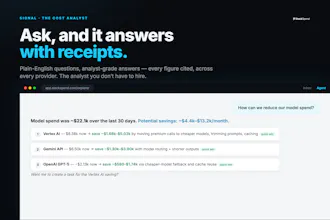
Ask Signal, the built-in analyst, anything. From $29/mo
This is the 2nd launch from StackSpend. View more
StackSpend
Launching today
Cost management for the modern AI engineering stack and the cloud it runs on. Same-day anomaly alerts matched to the deploy that likely caused them, forecasts, and a daily Slack digest.
track → forecast → budget → detect → save


Free Options
Launch Team / Built With


Would love to see a Slack or Teams notification when a deploy gets flagged as the likely cause of a cost spike so my on-call can jump on it without logging into another dashboard.
@huriye425133
You've basically described our next release. Today the anomaly itself lands in Slack/Teams the moment we detect it — severity, provider, what moved.
The likely deploy behind it currently lives in the anomaly view in the app. Putting that suspect PR right into the Slack alert — so on-call can jump straight from the message — is exactly where we're taking it. (And honestly, 'cost needs an on-call' is the whole reason we built this, so this one's going straight to the top of the list.)
What's your stack — Slack or Teams, PagerDuty in the loop? The anomolies are also pushed with context in to Jira or Linear.
Would love to see cost data broken down by feature flag or experiment variant, not just by service or deploy. That way we can tell which specific rollout is burning through the OpenAI budget, not just which deploy roughly correlated. Feels like a natural next step for the anomaly detection side.
@duygu190548
Totally agree it's the natural next step - and it's the direction we're pushing.
One honest bit of nuance: variant/flag-level cost can't come from the OpenAI bill itself — the invoice has no idea what your flags are. It only works if the usage is emitted tagged with the variant. Where teams already do that, you can group by it in Explorer today; where it's coming straight off the provider bill, nobody can get it, us included.
So the real work for us is making that tagged-usage path first-class — variant/flag as a proper attribution dimension, not just a manual tag. Are you emitting per-request metadata today, or would you be relying on the provider bill? That changes what we can give you a lot.
One thing I'd love to see is grouping spend by team or cost center automatically, so we can see which squads are driving the spikes without manually tagging everything. That would make the anomaly alerts way more actionable for us.
@nehir238420
This is the top of our roadmap — team / cost-center attribution is the thing we most want to nail next, so hearing it unprompted is a real signal. And you've named our core belief: it has to be automatic.
Manually tagging every line item is exactly the chore we refuse to ship - which team owns a cost should be derived, not data-entry.
Today you can group by project and user and set auto-tag rules that apply at ingest, so it's not all manual - but 'which squad drove this spike' without you tagging anything is precisely what we're building for.
the deploy-to-anomaly matching is genuinely clever, most tools just hand you a bill and wish you luck
@sevilbaykaa94u Thanks Sevil - its been super helpful for our engineering team.
Love that you matched costs back to the deploy that likely caused them, that's the kind of detail most cost tools skip and it's exactly what engineering leads actually need on a Monday morning.
@mihribansalonu
Thank you - its the exact moment we built it for. That used to be me: bill's up, no idea why, half a day gone reconstructing what shipped. Now it's the first thing you see. Genuinely glad it lands that way.
finally something that ties the spike back to the actual deploy instead of leaving me guessing at 11pm