
SplitFX
A JavaScript plugin for splitting and animating text
2 followers
A JavaScript plugin for splitting and animating text
2 followers
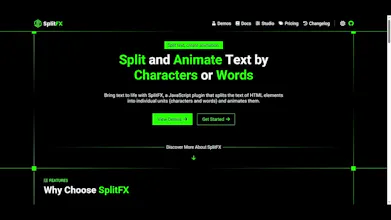
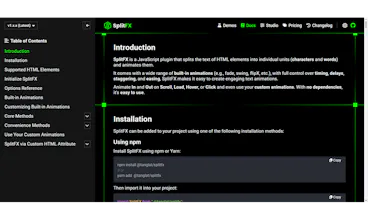
SplitFX is a JavaScript plugin that splits the text of HTML elements into individual units (characters and words) and animates them. It comes with a wide range of built-in animations (e.g., fade, swing, flipX, etc.), with full control over timing, delays, staggering, and easing, SplitFX makes it easy to create engaging text animations. Animate In and Out on Scroll, Load, Hover, or Click and even use your custom animations. With no dependencies, it's easy to use.

Free Options
Launch Team

EneyProactive AI for Mac. Free test, 20,000 credits.
Promoted
Hi everyone! 👋
SplitFX is a JavaScript plugin that splits the text of HTML elements into individual units (characters and words) and animates them.
KEY FEATURES
• Animate by Chars or Words
You can choose to animate text by chars or words.
• Multiple Trigger Options
Animate HTML elements' text in and out on scroll, window load, hover, or click.
• Full Animation Control
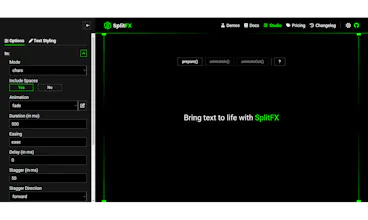
Full control over animation timing, stagger, stagger direction, and easing.
• A Variety of Built-in Animations
Choose from a variety of built-in animations such as fade, zoom in, and more.
• Use Your Custom Animations
Build and use your own animations to create text effects tailored to your needs.
• Different Stagger Directions
Control the animation flow with stagger directions like forward, backward, center-out, random, and more.
• Sequential Text Animations
Run text animations step by step in a defined sequence, just like the hero of this page and each demo project.
• Supports Nested Elements
Split and animate the text of HTML elements even when they contain nested elements.
• Easy to Use
A set of convenience methods that make SplitFX easier to use.
• No Dependencies
Built specifically for text animations with zero external dependencies.
• SEO-friendly
Works on the text you already have in your HTML, so search engines can read it.
I'm launching SplitFX on Product Hunt to get it in front of more developers and, most importantly, hear your feedback. I'd love to know what you think, what you'd like to see improved.