Launching today

Specimen — Inspect & copy UI
Inspect any live site and copy components and designs
3 followers
Inspect any live site and copy components and designs
3 followers
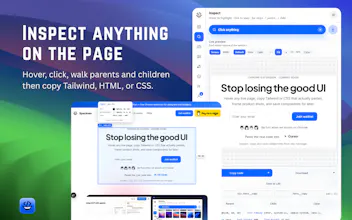
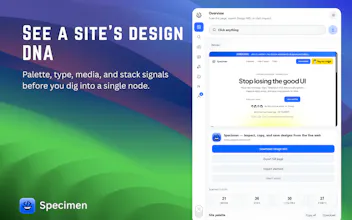
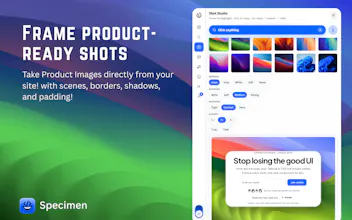
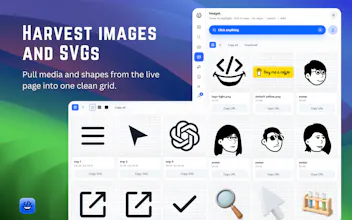
Tired of screenshots and DevTools when you just want a site’s design? Specimen is a free Chrome side panel on the live page. Inspect any website, see images, shapes, colors, and fonts together, copy what you need into your project, and save favorites to Specimen Lab to reuse later. Frame clean product shots when you launch. Simple: inspect, copy, save — then ship.
Hey everyone 👋
I’m Sammy. I built Specimen because I was tired of loving a UI, opening DevTools, and ending up with nothing reusable.
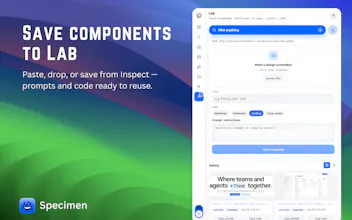
Specimen does one clear job: inspect any website’s design, copy what you need, and save it to Specimen Lab and send it off to your Cursor, Claude or other ai IDEs. or by copying the prompt or adding the code directly! You also get images, shapes, colors, and fonts in one view, plus product shots when you’re launching your own stuff.
Free. What’s the first site you’d try it on?
https://www.usespecimen.com
https://www.usespecimen.com/help...
Quick tip for anyone pairing this with AI tools like Cursor or Claude:
Instead of taking messy screenshots or digging through nested <div>s in DevTools, you can inspect any live component, grab the structured tokens/styles, and drop the prompt directly into your IDE. It cuts down vibe-coding and component reconstruction time to just a couple seconds.