Launching today

SnapBolt
Fast screenshot, GIF studio & offline OCR for Windows 10/11
2 followers
Fast screenshot, GIF studio & offline OCR for Windows 10/11
2 followers
All-in-one native Windows 10/11 screenshot and screen recorder. Auto window snap, 3-second annotate & instant Ctrl+V paste, MP4/GIF trim & 2x speed studio, 100% offline QR/OCR reader, 1px #HEX color picker, and 1-click social media beautifier frame. Free core forever, $14.99 one-time Lifetime Pro (no subscription).


Free Options
Launch Team

Framer AI AgentsDesign and publish professional sites with AI
Promoted
Hey Product Hunt! 👋
I built SnapBolt because every day on Windows 10/11 I missed the speed and polish of CleanShot X on macOS — Windows Snipping Tool often lags, downsamples high-DPI monitors, and turns simple blur/arrow markup or GIF recording into a 5-step chore.
SnapBolt is a single lightweight native C++ app (~2.5 MB core, zero Electron bloat, Microsoft Store certified) that combines:
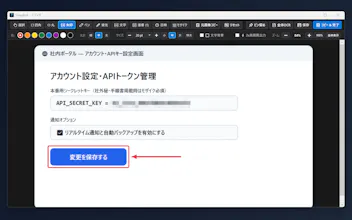
• Auto Window & UI Element Snap + 3-second delayed context-menu capture
• 3-Second Markup Editor (blur/pixelate, arrows, numbered steps, highlighter) straight to Ctrl+V
• Built-in MP4 & High-Quality Palette GIF Recorder with Trim & 2x Speed Studio
• 100% Offline Local QR & Multi-Language OCR (zero cloud uploads — safe for NDA/enterprise work)
• 1px Magnifier Color Picker (#HEX / RGB) & 1-Click Social Media Beautifier Frames
The core screenshot, markup, color picker, and offline QR/OCR features are free forever. Every download includes a 7-day full Pro trial (no account or card needed), and Lifetime Pro is a one-time $14.99 license for up to 3 Windows PCs — no subscriptions.
You can also install directly from Microsoft Store or via terminal: winget install 9MTBJHKWKM43
I'd love your feedback: what's the #1 friction point in your daily screenshot or screen-recording workflow on Windows?