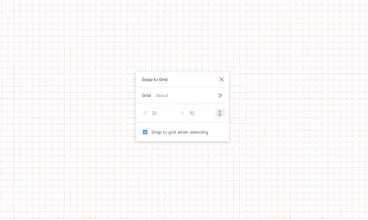
@treggify Work inside the frame with the included grid, the parameters of which are equal to the parameters of the plugin.
I’ll probably turn off the adjustment for direct descendants of the page.
It took some time to get use to this way of snapping to the grid. I initially thought it is going to the grid I have setup in the artboard directly, but it is working fine in a different way! I will try more and see how things are going.
There are currently two recommendations:
- after changing the plugin parameters, click on Save (I forget it myself);
- it is better to disable Snap to Pixel Grid when the plugin works.
The plugin has been updated!
- Text nodes now (if the "Snap to grid when selecting" checkbox is active) are scaled based on their AutoResize parameter.
- When starting the plugin, the adjustment will immediately apply to the selected node (if the Snap to grid when selecting checkbox is active).
- Now you do not need to re-select the node so that it uses the new plug-in parameters.
- Added support for mathematical operations in the fields: +; -; *; /; ** (raise to the power); % (remainder of the division); - (decrease by one); ++ (increase by one). You can add, subtract, etc. percent, for example 32-50% will give 16.
- When focusing on input, a tooltip with the field name will no longer appear, and the notification "Multiple selection is not supported" will no longer bother when the plugin is turned off.
- Updated information on the About page.
- Other improvements.
Divinate
Filter - Figma Plugin
The Prompt Craftsman
Filter - Figma Plugin