
Send Atlas
Send massive files. Pay one flat price. No surprises.
12 followers
Send massive files. Pay one flat price. No surprises.
12 followers
Send big files without the small 2GB limit and per-GB bill. Flat $14.99/mo for transfers up to 1TB, AES-256 encrypted, with delivery receipts and link controls. We never train AI on your files. Free up to 15GB.




How do you handle transfers that exceed the 1TB cap mid-month, and is there any throttling or overage fee once you hit that wall?
@fatmabqhv hello Fatma, thanks for the question. There are no extra fees or throttling speeds. I created what I call an active storage (which is set to 1TB) system. What that means is every transfer is stored and counts towards the active storage space, so if your client needs to download after the link has expired you can just re-activate the link for the length of time you need without having to re-upload because the file is stored. Now once you hit the 1TB active storage cap you won’t be able to transfer until you delete old or unused files to bring your space down. You can remove all transfer files or just remove enough to complete the new transfer, that is up to the user.
@fatmabqhv I would like to add that this active storage is for the pro tier. If you have a free account there is no active storage and you can do an unlimited amount of 15GB transfers but once the link expires the file is deleted and you would have to re-upload the file.
Curious how the delivery receipts actually work, do recipients need an account or can they just click the link and download straight away?
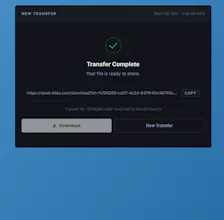
@sudenuriskr5xt No account is needed for anyone trying to download, they click the link and download. When you send the download you get an email notification once the email link has been successfully delivered to the client. As soon as the client completes the download you get sent an email receipt with the download timestamp, location (based on IP), SHA File Checksum, and Certificate ID.
How do the delivery receipts work in practice — do recipients need an account, or just click the link and get a read timestamp back to me?
@vkirazc87470 recipents don't need an account to download. They click the link, download, and as soon as it completes (not just if they start it) you get sent the timestamp, SHA checksum, location (IP based), and cert ID sent to you via email as confirmation they downloaded it.
Flat pricing is a breath of fresh air compared to the per-GB nonsense out there. One thing that would make me switch fully is a proper desktop or CLI client so I can script uploads directly from my workflow instead of babysitting browser tabs.
@berfindang69225 I hear you! I will put that on the roadmap for future builds as I am finding this is a popular request. Thank you for taking time out of your day to comment.
Flat pricing for huge transfers is genuinely refreshing. Sent a 400GB video archive to a client, got a delivery receipt within seconds, and nobody tried to upsell me on extra storage.
@tugayasalpnxs 400GB, 20GB, 1TB all one rate. Wanted to keep it super simple. No need to nickle and dime when everything already cost so much. Just want to provide an easy, fast, reliable, afforable service that gets the job done.
Love that the free tier actually gives you a usable 15GB to properly test things before committing. The flat pricing for up to 1TB feels genuinely refreshing compared to the usual per-GB math games.
@serafettin94984 Thank you! I tried to keep it straighforward and simple. 2GB, 5GB caps aren't really usuable for serious workflows and I never understood why that existed other than to limit you in order to upsell. My goal is putting the power and usage back into the users hands.