Launching today

ScreenshotEngine
Auto-updating screenshot URLs and scrolling website videos
2 followers
Auto-updating screenshot URLs and scrolling website videos
2 followers
Screenshot API with two capture modes beyond a static image. Evergreen screenshot URLs: capture a website once and get a permanent image URL that is re-captured daily or weekly, so thumbnails in directories and client portals stay current. Scrolling video: set output to scrolling_video and get a WebM recording of the full page, top to bottom, with lazy-loaded images and scroll animations. Also PNG, WebP, PDF, element capture, ad and cookie banner removal.




Free Options
Launch Team

AWS Activate CreditsCredits that fuel your startup’s next milestone
Promoted
Hi Product Hunt, I'm Arman, the maker of ScreenshotEngine.
ScreenshotEngine is a website screenshot API. This launch is about two capture modes that go beyond a single static image: Evergreen Screenshots and Scrolling Video.
1. Evergreen Screenshots: a permanent image URL that keeps itself up to date
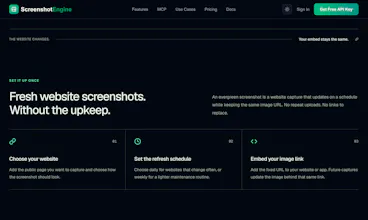
A screenshot goes stale as soon as the site changes. Directories, client portals, and link collections end up showing old homepages, and keeping them current means re-capturing and re-uploading by hand.
POST to /v1/evergreen-screenshot with a URL and a schedule ("daily" or "weekly"). It accepts the regular image options: full page, CSS element, dark mode, device viewport, cookie banner and ad blocking.
The first capture runs right away and the response includes an imageUrl.
Put that URL in an img tag. We re-capture on schedule and serve the new image at the same URL.
If a scheduled capture fails, the URL keeps serving the last good image. You can list, pause, refresh, or delete through the API, the dashboard, or our MCP server (AI agents can call create_evergreen_screenshot). Images are cached for up to 12 hours.
2. Scrolling Video: record the whole page, not one frame
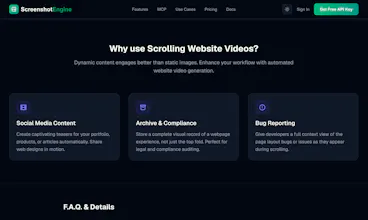
A static screenshot shows one viewport at one moment. Long landing pages, lazy-loaded images, and scroll-triggered animations don't come across in a single image.
Send a normal request to /v1/screenshot with "output": "scrolling_video". A real Chromium browser loads the page, removes cookie banners and ads, then scrolls from top to bottom while recording. You get back a WebM file.
Set width and height for the video viewport, for example 1280x720
Animations stay on, so scroll effects play the way a visitor sees them
Works with dark mode emulation
Useful for social posts, landing page previews, design portfolios, QA and bug reports, and compliance archives
Pricing: the Free plan includes 50 screenshots a month and 1 evergreen screenshot (weekly, small watermark). Paid plans include 25, 100, or 500 evergreen screenshots. Scrolling video is on every plan, including Free. Each capture, image or video, uses one screenshot credit. Code EARLY50 gives 50% off for 3 months.
The API also does PNG, JPEG, WebP, and PDF output for one-off captures.
Evergreen docs: https://www.screenshotengine.com/docs/evergreen-screenshots
Scrolling video: https://www.screenshotengine.com/features/website-video-screenshot
Two questions for you: where would you embed an evergreen screenshot, and would you want MP4 or GIF output for scrolling video alongside WebM?