Launching today

ScreenShipper
App Store & Google Play screenshots, ready in minutes
13 followers
App Store & Google Play screenshots, ready in minutes
13 followers
Turn your app screens into store-ready screenshots. Pick from 100+ templates, write your copy, and export every iPhone, iPad and Android size in one ZIP. 50 languages with AI translation. Free to start, no design skills needed.


Free Options
Launch Team

Render: Get up to $100K in startup creditsThe fastest way to launch and scale your startup in the cloud
Promoted
Hey Product Hunt 👋
We kept losing hours to App Store screenshots every time we shipped an app: resizing for every device, rewriting captions for each language, and fighting design tools that weren't made for this. So we built ScreenShipper.
What it does:
→ 100+ templates that adapt to your brand colors and fonts
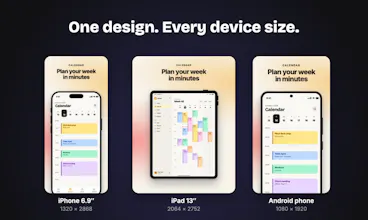
→ Every required size
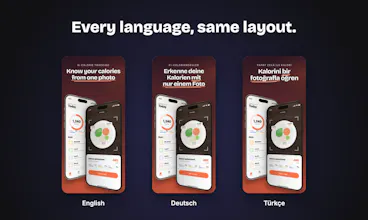
→ 50 languages, with AI translation on Pro
→ One click exports a ZIP ready to upload
You can try the editor without signing up.
🎁 Product Hunt special: reply here or email support@screenshipper.com and we'll send you a 20% discount code.
We're a small team and would love your feedback: what's the most painful part of making store screenshots for you?
The part I'd want to test first is how a template holds up across every iPhone and iPad size in one ZIP — do brand colors and fonts stay locked when you switch sizes, or do you have to re-tweak copy and layout per size? I'm also curious how the AI translation handles longer copy in languages like German without overflowing a template.
@jcbuilds Thanks for checking it out.
Colors and fonts are set once at the project level, so they stay locked across every size. Layouts are proportional, so all iPhone sizes scale from the same design with no re-tweaking. iPad gets its own layout (the aspect ratio is too different), and you can nudge it separately without touching the phone version.
For translations: headlines shrink to fit their box automatically, so most German copy just fits. If something still overflows, the editor flags that exact screenshot so you can shorten it or enlarge the box before exporting.
Would love to hear how it holds up if you give it a try.