
ScreenREC
Simplest Screen recorder. Private, instant, free.
346 followers
Simplest Screen recorder. Private, instant, free.
346 followers
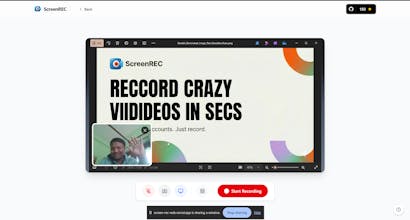
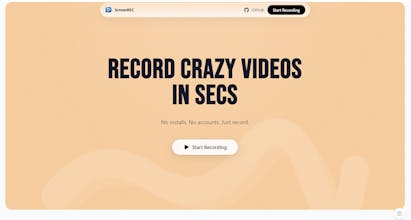
🎬 ScreenREC: The simplest screen recorder ever Record screen, webcam & audio in-browser—no downloads, no signups.
Why teams love ScreenREC:
✨ Zero install, works instantly
🔒 Privacy-first, recordings stay local
🎥 Full HD quality
⚡ One-click start
🎨 Dark mode UI
💾 Export MP4/WebM
🌐 100% open source
Perfect for tutorials, demos, bug reports, presentations & async team communication.
No bloat. No tracking. Just recording done right.
This is the 2nd launch from ScreenREC. View more

ScreenREC
🎬 ScreenREC: The simplest screen recorder ever Record screen, webcam & audio in-browser—no downloads, no signups.
Why teams love ScreenREC:
✨ Zero install, works instantly
🔒 Privacy-first, recordings stay local
🎥 Full HD quality
⚡ One-click start
🎨 Dark mode UI
💾 Export MP4/WebM
🌐 100% open source
Perfect for tutorials, demos, bug reports, presentations & async team communication. No bloat. No tracking. Just recording done right.


Free
Launch Team


@devgossips Congratulations on the product launch I tried the tool this morning, and honestly, it’s one of the best I’ve seen on Product Hunt in recent times. It’s simple and solves a very real problem. On Windows, getting high-quality screenshots and screen recordings usually means installing multiple apps, signing up, and dealing with unnecessary friction.
This removes all of that.
And I also really love the scrolling screenshot feature, it’s a great touch.
Really well done, I’d definitely recommend this to others.
ScreenREC
@rashiaroraofficial thank you so much 💗
Congrats on the launch! 🎉 As someone who records screens a lot, the no-install, no-login, record-and-go flow is a huge win for quick demos and bug reports.
ScreenREC
@levycheng Thank you so much and Merry Christmas🎄
Huge respect for going 100% Open Source with this! 🤝 It's rare to see high-quality tools that don't lock basic features behind a paywall.
The UI looks super clean. I'm curious about the tech stack—are you using the native MediaRecorder API directly, or something like ffmpeg.wasm to handle the encoding?
Also, just a thought: adding a simple 'trim' feature before export would make this the ultimate Loom killer for me. Best of luck!
ScreenREC
@elevenapril Using the Media Recorder API for the recording , and ffmpeg.wasm for the encoding in mp4 (its done on cloud) . You can check the codebase on github. Its open source.
Yeah, I am basically adding the basic simple editor before export .
nice app , but where can i found the recoreded videos ?
ScreenREC
@farabi2 Record the video and you hit the Export button to download it
AI Tools Directory
ScreenREC
@dessignnet Thank you so much and Merry Christmas🎄
Just a week ago, I found that the native app on Mac didn't support system sound while recording a private tutorial, which was so frustrating that I gave up. Wish I had known about ScreenREC earlier! Will definitely use it for my next tutorial recording. Congrats on the launch!
ScreenREC
@e36 Thank you so much man.
how about chromakey/green screen to use custom backgrounds?