
Instead of juggling multiple apps and tabs, ScreenHint lets you capture a piece of your screen, turning it in to a snapshot that hovers over your other windows. It can help you keep focused, remember something important, or stay inspired while you work.
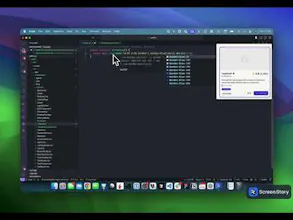


Congrats on the launch of ScreenHint! 🎉 It's amazing to see how a simple idea can transform productivity like this. Salem truly deserves credit for creating such a useful tool. The concept of having screenshots pinned over all your windows is genius—helps eliminate distractions and keeps us focused.
This tool is nice and very clean. Thanks for bring it to us.
Upvoting for sure!
Report

I'm not sure about having something stuck on my screen all the time, seems like it might be more distracting than helpful and who really needs another thing hovering around while trying to work, it could just make things cluttered and confusing, I'm curious to see if anyone else finds it useful or just a nuisance
Report

So I've been trying out your new tool, it's interesting but I'm not sure it's the most efficient way to handle multitasking, seems more like a band-aid rather than a solution 🤔, have you considered adding a way to categorize or group the snapshots, maybe even implement some kind of quick-access toolbar to manage them better
Richard
Report

Hey, cool idea but isn't it kinda distracting to have something floating over your screen all the time, like what about a feature that lets you hide or minimize the snapshots when you need a break, also how much control do you have over the size and where it sits, just thinking it could get annoying if it's in the way often
Report

 HarnessRouter
ScreenHint is exactly what I didn't know I needed! Keeping crucial information visible without switching windows is a fantastic productivity hack. Big thanks for this innovation. I'm wondering, does ScreenHint offer any keyboard shortcuts for quick snapshot capture and management?
Report

Hunter
@renchu_song yeah you can set up a keyboard shortcut in the settings - I use cmd + shift + h
Report

 Sparky
That looks like a useful too!
Report

Nice little productivity hack :)
Report
First
Previous
1234Next